


What Is Cloud Modernization? 2026 Complete Guide
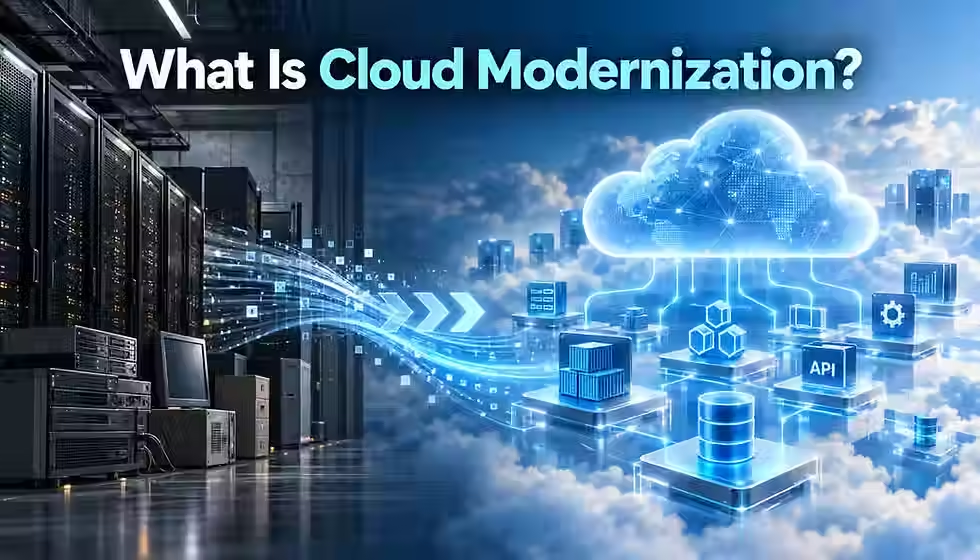
Most "cloud modernization" projects fail for the same reason: they move an old system to new servers and expect new results. Real modernization changes how a system is built, secured, and run — not just where it lives — and that distinction determines whether a cloud investment actually pays off.
TL;DR
Cloud modernization redesigns applications, infrastructure, and data to use cloud-native capabilities — it is not the same as simply migrating a workload to the cloud.
The 7 Rs (Retire, Retain, Rehost, Relocate, Replatform, Repurchase, Refactor) categorize migration and modernization strategies, but they are not equally deep forms of change.
Cost savings are not automatic. Flexera's 2026 research found estimated cloud waste rose to 29%, the first increase in five years, even as FinOps adoption grew.
Security, governance, and cost management work best when built into the modernization process from day one, not bolted on afterward.
AI tools now meaningfully speed up legacy-code analysis and transformation, but expert human review remains essential for business-critical systems.
Not every legacy application should be modernized — retiring, retaining, or encapsulating a low-value system is sometimes the more disciplined choice.
Quick Answer: What Is Cloud Modernization?
Cloud modernization is the process of redesigning applications, infrastructure, and data to use cloud-native capabilities — such as containers, managed services, and automated pipelines — instead of simply moving existing systems to cloud servers unchanged. It goes beyond migration to change how systems are built, secured, and operated.
Table of Contents
What Is Cloud Modernization?
Cloud modernization is the practice of redesigning applications, infrastructure, data, and operating practices to use cloud-native capabilities instead of simply running old systems on cloud servers. It goes beyond moving a workload from a data center to the cloud — it changes how that workload is built, deployed, secured, and run so an organization can actually capture the agility and cost flexibility the cloud offers.
There is no single, universally agreed definition. AWS, Microsoft, and Google Cloud each describe modernization slightly differently. NIST defines cloud computing itself as on-demand network access to a shared pool of configurable computing resources that can be provisioned with minimal management effort (NIST, 2011). Modernization is what an organization does to actually take advantage of that model, rather than recreating a data center inside a public cloud account.
In practice, the term covers three overlapping situations:
Modernizing before or during a move: redesigning an application's architecture, data layer, or deployment pipeline as part of the migration itself, so it lands in the cloud already built to take advantage of it.
Modernizing workloads already in the cloud: many organizations rehosted applications years ago with little change, and are now going back to refactor them into cloud-native services.
Using cloud-native capabilities to transform the wider IT estate: extending modernization beyond a single application to infrastructure, data platforms, security models, and delivery practices across the organization.
The most useful working definition is outcome-based: cloud modernization is whatever set of technical and organizational changes makes a workload cloud-native enough to meet a specific business goal — faster releases, lower operating risk, or readiness for AI. What counts as "modernized enough" depends on that goal, not a fixed checklist.
Cloud Modernization vs. Cloud Migration
Cloud migration means moving a workload from one environment to another — typically from an on-premises data center to a public cloud. Cloud modernization means changing that workload so it works differently, usually to exploit cloud-native services such as managed databases, containers, or serverless compute. The two are related but not the same, and confusing them is one of the most common planning mistakes.
Rehosting and lift-and-shift
The simplest form of migration is rehosting, commonly called lift-and-shift: an application moves to cloud virtual machines with little or no change to its code. AWS Prescriptive Guidance describes rehosting, relocating, and replatforming as best suited to large-scale migrations, precisely because they avoid the complexity of modernizing during the move (AWS Prescriptive Guidance, 2026). Lift-and-shift gets a workload off aging hardware quickly, but it does not automatically reduce cost or unlock new capabilities — the application still behaves as it did on-premises.
Why migration alone can fall short
A rehosted application inherits its old architecture's limits: it may still be a single large deployable unit on a proprietary database, still requiring manual scaling. Organizations that treat migration as the finish line are often surprised when cloud costs run higher than expected, because nothing was redesigned to use elastic, consumption-based pricing. Flexera's 2026 State of the Cloud Report found organizations self-estimate roughly 29% of public cloud spend as wasted, the first increase after five years of steady decline (Flexera, 2026).
When they happen together, and when they don't
Some organizations modernize and migrate in the same project — replatforming a monolith into containers while switching providers. Others separate the two: migrate first to exit an aging data-center contract, then modernize incrementally once stable in the cloud. Both sequences are valid; the right choice depends on urgency, budget, and how much architectural risk the organization can absorb at once.
Aspect | Cloud Migration | Cloud Modernization |
Primary goal | Move a workload to a new environment | Change how a workload is built or run |
Typical trigger | Data-center exit, contract end, disaster recovery | Scalability limits, high operating cost, slow releases |
Common strategy | Rehost, relocate, replatform | Refactor, rearchitect, repurchase |
Code changes required | Minimal to none | Often significant |
Immediate cost impact | Variable; not guaranteed savings | Can lower cost, but only if rightsized and governed |
Cloud Modernization vs. Application Modernization
Application modernization focuses specifically on updating an individual application's code, architecture, or platform — for example, breaking a monolith into services, moving from a legacy framework to a supported one, or containerizing a Java application. Cloud modernization is the broader umbrella: it includes application modernization but also covers infrastructure, data platforms, networking, identity, delivery pipelines, and operating models.
Put simply, application modernization usually answers the question "how do we fix this one system?" Cloud modernization asks a wider question: "how does our whole technology estate need to change to run well in the cloud, and which applications matter most to fix first?" A cloud modernization program will typically include several application modernization projects as line items, alongside infrastructure-as-code adoption, identity and access management redesign, and cost-governance work that no single application team owns.
Cloud Modernization vs. Digital Transformation
Digital transformation is a business-level change: rethinking products, customer experience, and operating models using digital technology. Cloud modernization is one of the technical enablers that makes some digital transformation goals achievable — for example, launching new digital products quickly usually requires an architecture and delivery pipeline that can support frequent releases, which is exactly what cloud-native patterns provide.
The two are not interchangeable. An organization can modernize its cloud infrastructure without changing its business model at all, and an organization can pursue digital transformation using approaches that have nothing to do with cloud architecture, such as new pricing models or partnerships. Treating cloud modernization as a proxy for digital transformation — or vice versa — tends to produce technology projects with no clear business owner, or business initiatives that stall because the underlying systems can't support them.
What Can Be Modernized?
Cloud modernization programs typically touch several layers of the technology stack at once, because they are interdependent. A modernized application still fails if it sits on an unmanaged, manually patched server, and a modernized data platform delivers little value if the applications consuming it can't be deployed quickly.
Applications: moving from monoliths toward modular architectures, updating frameworks, and retiring unsupported languages or runtimes.
Infrastructure: replacing manually managed servers with managed compute, containers, or serverless platforms, and codifying infrastructure instead of configuring it by hand.
Platforms: adopting internal platform engineering layers that give development teams self-service access to standardized, governed infrastructure.
Databases: moving from self-managed database servers to managed database services, and sometimes from relational to purpose-built data stores.
Data architecture: consolidating siloed data into governed data platforms that support analytics and, increasingly, AI workloads.
Integration and APIs: replacing brittle point-to-point integrations with well-documented, versioned APIs and event-driven communication.
Networking: redesigning network segmentation and connectivity for cloud-native security models instead of a flat, perimeter-based network.
Security and identity: moving to centralized identity providers, least-privilege access, and automated policy enforcement.
Development and deployment workflows: introducing continuous integration and continuous delivery (CI/CD) so releases are frequent and low-risk.
Operations and observability: replacing manual monitoring with structured logging, metrics, and tracing that make incidents easier to detect and diagnose.
Governance: establishing guardrails, policies, and approval workflows that scale with a growing cloud footprint.
Cost management: adopting FinOps practices so cloud spend is visible, allocated, and tied to business value.
Organizational processes and skills: retraining teams and adjusting operating models so they can build and run cloud-native systems.
Why Organizations Modernize
The motivations behind a modernization program are usually a mix of technical necessity and business ambition. Common drivers include:
Business agility and faster software delivery: smaller, independently deployable services and automated pipelines shorten the time between an idea and a live feature.
Scalability: cloud-native architectures can scale specific components up or down based on demand instead of over-provisioning an entire monolith.
Reliability and resilience: managed services and well-designed distributed systems can reduce single points of failure.
Security: modern identity, encryption, and patching models reduce the attack surface that legacy, manually managed systems tend to accumulate.
Operational efficiency and developer productivity: teams spend less time on undifferentiated infrastructure work and more on features.
Reduced technical debt: modernization is often the only realistic way to retire unsupported software before it becomes a security or compliance liability.
Better data access and AI readiness: consolidated, well-governed data is a prerequisite for most practical AI and analytics use cases.
Improved customer experience: faster releases and more reliable systems translate into a better product experience over time.
Infrastructure lifecycle and end-of-support pressure: aging hardware, expiring data-center leases, and end-of-life software versions force a decision.
Cost optimization: cloud-native, consumption-based architectures can lower costs — but only when they are actively managed.
That last point needs a caveat. Cloud modernization does not automatically cut cost. A poorly governed environment — oversized resources, no cost visibility, no ownership — can cost more than the on-premises system it replaced. Flexera's 2026 research found cost management remains the top cloud challenge for 85% of organizations, ahead of security, even as FinOps team adoption grew to 63% (Flexera, 2026). Cost benefits come from disciplined design, not from the cloud itself.
Core Cloud Modernization Strategies: The 7 Rs
AWS, building on an approach first popularized by Gartner, groups migration and modernization decisions into seven strategies, often called the 7 Rs (AWS, 2026; IBM, 2026). They are useful for sorting a large application portfolio, but it is important not to treat them as equally deep forms of modernization — some are primarily migration and rationalization moves, while others represent genuine architectural change.
Retire: decommission applications that no longer provide business value. Portfolio assessments regularly find that some percentage of an enterprise's applications are unused or duplicated.
Retain: deliberately leave a workload where it is, usually because it is due for replacement soon, has strict data-residency requirements, or has too low a return on modernization effort right now.
Rehost: lift-and-shift a workload to cloud infrastructure with minimal change. This is the fastest path off aging hardware, but it is a migration strategy, not a modernization strategy — the application's architecture is unchanged.
Relocate: move a virtualized workload, such as a VMware environment, to the cloud at the hypervisor level without touching the application itself. Like rehosting, this is a migration move rather than modernization.
Replatform: make targeted changes during the move — for example, switching a self-managed database to a managed database service — without changing the application's core architecture. This delivers some cloud-native benefit for comparatively little effort.
Repurchase: replace a system with a commercial SaaS or cloud-native product instead of migrating or rebuilding it. Common for commodity functions like HR or CRM systems.
Refactor or rearchitect: redesign the application to use cloud-native patterns such as microservices, managed services, or serverless compute. This is the deepest and most resource-intensive strategy, and the one most likely to unlock the full range of cloud benefits.
AWS Prescriptive Guidance treats refactoring as something to approach carefully at scale, often excluding it from large-migration playbooks because modernizing many applications simultaneously multiplies risk (AWS Prescriptive Guidance, 2026). A common, lower-risk pattern is to rehost or replatform first to exit a data center on schedule, then refactor selectively afterward, prioritizing where deeper modernization delivers the clearest return.
Major Technical Modernization Patterns
Underneath the 7 Rs sit a set of recurring technical patterns. None of them is automatically the right answer — each comes with real trade-offs that depend on team size, workload characteristics, and how much operational complexity the organization can support.
Monolith decomposition, modular monoliths, and microservices
Breaking a large application into smaller services can improve release speed and fault isolation, but it also adds distributed-systems complexity: network calls replace function calls, and testing and observability get harder. A modular monolith — one deployable application with clean internal boundaries — often delivers much of the maintainability benefit with far less operational overhead, and suits teams not yet ready for full service decomposition.
Containers and Kubernetes
Containers package an application with its dependencies so it runs consistently everywhere. Kubernetes, the orchestration system maintained by the Cloud Native Computing Foundation, is central to running scalable applications in modern, dynamic cloud environments (CNCF, 2015). It is powerful at scale but carries real operational cost — cluster management and security hardening both require dedicated skill. For a handful of simple services, a managed container platform or serverless option is often the better starting point.
Serverless computing and managed services
Serverless platforms run code without the team managing servers, scaling automatically and charging only for execution. This removes operational work but introduces cold-start latency, execution limits, and a different debugging model. Managed services more broadly — databases, queues, search — shift operational burden to the provider in exchange for less low-level control.
Database and data-platform modernization
Moving to a managed database typically reduces patching and backup overhead immediately, even without changing the application. Deeper data modernization — consolidating siloed data into a governed platform — takes longer but is usually the prerequisite for reliable analytics and AI initiatives.
API modernization and event-driven architecture
Well-designed, versioned APIs let systems evolve independently instead of being tightly coupled through direct database access. Event-driven architecture, where services communicate through asynchronous events, can improve resilience and scalability, but adds complexity around message ordering and debugging across asynchronous flows.
Infrastructure as Code, CI/CD, and DevSecOps
Infrastructure as Code (IaC) defines infrastructure in version-controlled configuration instead of manual console changes, making environments reproducible and auditable. CI/CD pipelines automate building, testing, and deploying code, enabling frequent, low-risk releases. DevSecOps folds security checks into that same pipeline instead of treating security as a late-stage gate.
Platform engineering, observability, and SRE
Platform engineering teams build internal, self-service platforms so application teams don't have to become infrastructure experts. Observability — logs, metrics, and traces — is what makes distributed cloud-native systems debuggable in production. Site reliability engineering (SRE) applies engineering discipline to operations, often using error budgets to balance release velocity against stability.
None of these patterns should be adopted for its own sake. A five-person team running a low-traffic internal tool rarely needs Kubernetes, a service mesh, and an event bus. The right level of architectural sophistication is the simplest one that meets the workload's actual reliability, scale, and delivery requirements.
A Step-by-Step Cloud Modernization Roadmap
Cloud modernization is rarely a single project with a fixed end date. It behaves more like an ongoing operating-model change, applied to one part of the portfolio at a time. A practical roadmap generally follows this sequence:
Establish clear business outcomes the modernization effort needs to support.
Inventory the technology estate: applications, infrastructure, databases, and integrations.
Map dependencies between applications and data so no critical connection is missed.
Assess technical health: age, support status, code quality, and known limitations.
Assess business criticality and the value each system delivers today.
Assess modernization and cloud readiness for each workload.
Establish foundational architecture, security, governance, networking, identity, and operating practices before large-scale change begins.
Categorize workloads by type, criticality, and complexity.
Choose a modernization strategy — one of the 7 Rs — for each workload.
Build a business case with realistic costs and expected benefits.
Prioritize workloads based on value, risk, and feasibility.
Select pilot workloads that are meaningful but not mission-critical, to validate the approach.
Design target architectures for the workloads being modernized.
Modernize incrementally, in small, testable steps rather than one large rewrite.
Test thoroughly, including performance, security, and failure scenarios.
Deploy safely, using staged rollouts and rollback plans.
Observe and stabilize the new system before declaring the project finished.
Optimize cost, performance, reliability, and security continuously.
Measure outcomes against the business goals set in step one.
Scale the patterns that worked across the rest of the portfolio.
This is a portfolio journey, not a one-time project, because most enterprises have far more applications than they can modernize at once. Establishing reusable patterns, shared platforms, and governance early means each subsequent application costs less to modernize than the one before it.
How to Assess and Prioritize Applications
Not every legacy application deserves the same level of investment. A useful assessment weighs several factors together, rather than optimizing for any single one:
Business value: how much revenue, cost avoidance, or strategic capability the application supports.
Technical debt: how much the code, architecture, or platform limits change or introduces risk.
Change frequency: how often the application needs updates — high-change systems benefit more from CI/CD and modular architecture.
Reliability issues: how often the system fails and how costly those failures are.
Security exposure: known vulnerabilities, unsupported components, and compliance gaps.
End-of-life technology: software or hardware nearing the end of vendor support.
Dependencies: how tightly coupled the system is to others, which affects both risk and sequencing.
Data sensitivity and compliance: regulatory requirements that affect where and how the workload can run.
Complexity: how large, tangled, or poorly documented the system is.
Current operating cost: what the organization is spending to keep the system running today.
Expected modernization value: the realistic upside of investing in this particular system.
Team skill level: whether the organization has, or can build, the skills the target architecture requires.
Time to value: how quickly the investment will pay off.
Technical feasibility: whether the system can realistically be modernized given its current state.
In practice, this often produces a simple grid: high-value, high-risk applications are strong candidates for refactoring; low-value, low-risk applications are often better retired or retained as-is. The point of a structured assessment is to make that judgment explicit and defensible, rather than driven by whichever team shouts loudest.
Building the Business Case
A credible modernization business case separates measurable financial impact from harder-to-quantify strategic value, and it accounts for the full cost of change — not just the target-state savings.
Costs to include
Baseline and total cost of ownership (TCO): what the current system costs today, including hardware, licensing, and staff time.
Licensing: commercial software or database licenses that may be retired, retained, or replaced.
Migration and modernization effort: engineering time, contractor costs, and tooling.
Training: the cost of building new skills in the team.
Dual-running costs: the period when both old and new systems run in parallel.
Managed-service costs: the ongoing cost of the cloud-native services replacing self-managed infrastructure.
Network and data-transfer costs: often underestimated, especially for data-heavy or multicloud architectures.
Benefits to include
Avoided costs: hardware refreshes, data-center renewals, or license renewals that modernization makes unnecessary.
Operational savings: reduced manual effort from automation and managed services.
Business agility: the value of shipping features faster, even though it is harder to quantify precisely.
Risk reduction: the value of avoiding a security incident or an outage tied to unsupported technology.
Executives generally respond better to a business case that is honest about uncertainty than one with a single, precise-looking number. A realistic range with clear assumptions tends to hold up better under scrutiny than an optimistic point estimate.
FinOps and Cost Management
FinOps — a blend of finance and DevOps — is the practice of managing cloud cost as a shared responsibility across engineering, finance, and business teams. The FinOps Foundation, a nonprofit hosted at the Linux Foundation, defines FinOps as an evolving cloud financial management discipline and cultural practice that helps organizations get maximum business value from cloud by enabling engineering, finance, and business teams to collaborate on data-driven spending decisions (FinOps Foundation, 2024).
Core FinOps practices for a modernization program include:
Tagging and allocation: attributing cloud spend to the team, product, or business unit that owns it.
Unit economics: tracking cost per transaction, customer, or feature rather than looking only at the total bill.
Rightsizing: matching resource size to actual, measured usage instead of guessing.
Autoscaling: automatically adjusting capacity with demand instead of provisioning for peak load at all times.
Storage lifecycle management: moving infrequently accessed data to cheaper storage tiers automatically.
Commitment discounts: using reserved or committed-use pricing for predictable, steady workloads.
Cost anomaly detection: catching unexpected spend spikes quickly instead of discovering them at month-end.
Architecture-aware cost decisions: recognizing that some architectural patterns, such as chatty microservices or unbounded data egress, carry real cost consequences.
The scale of this challenge is not hypothetical. Flexera's 2026 State of the Cloud Report found that FinOps team adoption has grown to 63% of organizations and Cloud Center of Excellence adoption to 71%, yet estimated wasted cloud spend still rose to 29% — the first increase in five years (Flexera, 2026). Governance structures alone do not eliminate waste; they need to be paired with continuous, workload-level visibility.
Security, Governance, and Compliance
Modernization is an opportunity to fix security gaps that accumulate in legacy systems, but only if security is built into the process rather than bolted on afterward. Key elements include:
Shared responsibility: understanding which security controls the cloud provider manages and which remain the customer's responsibility.
Identity and access management (IAM): enforcing least-privilege access instead of broad, standing permissions.
Secrets management: storing credentials and keys in dedicated, audited services instead of configuration files or code.
Encryption: protecting data at rest and in transit by default.
Network segmentation: limiting what each service can reach, rather than relying on a single perimeter.
Logging and monitoring: capturing enough signal to detect and investigate incidents.
Vulnerability management: patching dependencies and runtimes on a predictable cadence.
Software supply-chain security: verifying the provenance and integrity of the code and packages a system depends on.
Policy as code: encoding security and compliance rules so they are enforced automatically, not manually reviewed.
Data classification: knowing which data is sensitive so controls can be applied proportionately.
Backup, recovery, and resilience: designing for failure instead of hoping it doesn't happen.
Governance guardrails: automated controls that prevent common misconfigurations before they reach production.
DevSecOps — integrating these checks directly into CI/CD pipelines — is what makes security scale alongside faster release cycles. Treating security as a final review step before launch tends to either slow releases down or get skipped under deadline pressure; automated, continuous checks avoid that trade-off.
Common Cloud Modernization Challenges
Modernization programs run into a recognizable set of obstacles. Naming them early makes it easier to plan around them.
Legacy dependencies: old systems are often tangled in undocumented ways. Mitigation: map dependencies before committing to a sequence.
Poor or missing documentation: knowledge often lives only with a few long-tenured engineers. Mitigation: capture it deliberately, including through interviews, before they move on.
Skill shortages: cloud-native architecture and platform engineering are specialized skills. Mitigation: combine hiring, training, and selective use of partners.
Resistance to organizational change: modernization changes how teams work, not just what they run. Mitigation: involve affected teams early and explain the reasoning.
Oversized project scope: modernizing too much at once increases risk sharply. Mitigation: sequence work into small, independently valuable increments.
Architecture overengineering: adopting microservices or Kubernetes before the team needs that complexity. Mitigation: match architecture to actual scale and maturity.
Cost overruns: projects lacking cost visibility from day one routinely exceed budget. Mitigation: build FinOps in from the start, not after the bill arrives.
Downtime risk: cutover can introduce outages if not tested thoroughly. Mitigation: use staged rollouts, feature flags, and rehearsed rollback plans.
Data migration complexity: moving and reconciling data safely is often harder than moving code. Mitigation: validate data integrity at every stage.
Vendor lock-in concerns: heavy use of one provider's managed services can complicate a future move. Mitigation: treat lock-in as a conscious trade-off, not an accident.
Tool sprawl: every team picking its own tools makes the environment harder to secure. Mitigation: agree on a supported toolset without eliminating flexibility.
Incomplete observability: gaps in monitoring often surface only after an incident. Mitigation: define observability requirements as part of the target architecture.
Unclear business outcomes: modernization with no defined business goal is hard to prioritize. Mitigation: tie every initiative to a specific, measurable outcome.
Modernization Anti-Patterns and Mistakes
Beyond the challenges above, certain mistakes show up often enough to be worth naming explicitly:
Modernizing everything at once instead of sequencing by value and risk.
Refactoring an application before establishing a clear business reason to do so.
Moving technical debt into the cloud unchanged and calling the move "modernization."
Rewriting a large application in one pass instead of validating incrementally.
Choosing Kubernetes because it is popular, not because the workload needs it.
Splitting an application into microservices before the team is organizationally ready to own and operate many services.
Modernizing applications while ignoring the data architecture underneath them.
Treating operations and observability as an afterthought instead of part of the design.
Ignoring cloud costs until the first unexpectedly large bill arrives.
Measuring success only by migration completion, not by business outcomes.
Treating modernization as purely an IT initiative with no business ownership.
Neglecting rollback and disaster-recovery planning for the new architecture.
Measuring Success: Cloud Modernization KPIs
No single metric proves a modernization program succeeded. A balanced view usually spans five categories.
Business metrics
Time to market for new features.
Feature lead time from idea to release.
Customer-facing outcomes, such as satisfaction or retention.
Revenue or cost effects that can be directly attributed to the change.
Engineering metrics
The DORA research program — now maintained by Google Cloud's DevOps Research and Assessment team — defines four widely used engineering metrics: deployment frequency, lead time for changes, change failure rate, and time to restore service (DORA, 2026; Google Cloud, 2020). These split into two groups: deployment frequency and lead time measure delivery speed, while change failure rate and recovery time measure stability. DORA's own 2025 research also found only about 16% of organizations deploy on demand (multiple times per day), underscoring how much room most teams still have to improve delivery performance.
Reliability metrics
Availability.
Latency.
Error rates.
Incident frequency.
Mean time to recovery.
Cost metrics
Unit cost — cost per transaction, user, or workload.
Resource utilization.
Identified waste.
Cloud spend relative to business outcomes, not just total spend.
Security metrics
Vulnerability remediation time.
Policy compliance rate.
Number and severity of security incidents.
Patch coverage across the estate.
A program that improves deployment frequency but ignores change failure rate, or cuts cost while quietly degrading reliability, has not actually succeeded — it has just moved the problem. Track categories together, not in isolation.
AWS vs. Azure vs. Google Cloud Modernization
All three major providers offer broadly comparable modernization capabilities: assessment tooling, migration services, container and serverless platforms, managed databases, integration services, observability tooling, and security and governance controls. Each also publishes its own structured guidance.
AWS organizes migration strategy around the 7 Rs described earlier and, more recently, around AWS Transform — an AI-assisted service, launched in 2025, aimed at accelerating legacy code analysis and transformation, including mainframe COBOL modernization (AWS, 2025). Microsoft's Cloud Adoption Framework for Azure organizes guidance into a small number of methodologies — commonly summarized as Strategy, Plan, Ready, Adopt, Govern, Secure, and Manage — that sequence business justification, landing-zone setup, workload migration and modernization, and ongoing operations (Microsoft Learn, 2026). Google Cloud emphasizes container-first and data-and-AI-centric modernization, reflecting its origins in Kubernetes and its investment in managed data and machine learning services.
These differences matter less than they might appear. The choice of provider is usually driven by factors outside the modernization plan itself: existing contracts, where data must legally reside, the skills the team already has, and broader corporate cloud strategy. This is a fit question, not a "which cloud is best" question.
Hybrid and Multicloud Modernization
Hybrid cloud — combining on-premises infrastructure with public cloud — and multicloud — using more than one public cloud provider — are both common, and both add real operational complexity. Flexera's 2026 report found 73% of organizations operating hybrid cloud estates, with multicloud adoption continuing to rise gradually, often driven by mergers, acquisitions, or historically siloed teams rather than a deliberate strategy (Flexera, 2026).
Hybrid architectures make sense when some workloads genuinely need to stay on-premises — for regulatory, latency, or legacy hardware reasons — while others move to the cloud. Multicloud can make sense for negotiating leverage, avoiding a single point of failure, or matching specific workloads to each provider's strengths. But both approaches multiply the number of tools, skills, and security models a team must maintain. When multicloud results from accidental sprawl rather than deliberate design, it is usually adding cost and risk without a matching benefit — which is exactly the pattern Flexera's data suggests is becoming more common.
Vendor Lock-In
Vendor lock-in is the risk that adopting a provider's proprietary services makes it expensive or slow to switch providers later. It is a real consideration, but it is often treated as an automatic negative when it is really a trade-off.
Highly portable architectures — built on open standards and containers, avoiding provider-specific managed services — preserve flexibility, but usually cost more to build and operate, because the team is doing work the cloud provider would otherwise do for it. Deep use of managed services — a managed database, a managed queue, a managed AI service — increases lock-in but can dramatically reduce operational burden and speed up delivery. Neither choice is inherently right. The productive question is not "how do we avoid all lock-in?" but "which forms of lock-in are we willing to accept, in exchange for which benefits, for this specific workload?"
AI and Cloud Modernization
Because this area changes quickly, it is worth being precise about what is demonstrated today versus what is marketing. AI tools are genuinely useful for several modernization tasks that are well suited to pattern recognition and large-scale text transformation:
Code understanding and legacy-code analysis: AI can summarize what unfamiliar or undocumented code does, speeding up the assessment phase of a modernization project.
Dependency discovery: identifying connections between systems that are not otherwise well documented.
Documentation generation: producing technical documentation from existing code, which is often missing entirely for older systems.
Test generation: creating test coverage for legacy code that was never adequately tested, which is a prerequisite for refactoring it safely.
Refactoring assistance: suggesting or drafting code transformations, which a human engineer then reviews and validates.
Migration assessment: accelerating the inventory and dependency-mapping steps of a modernization roadmap.
Infrastructure and code transformation: automating repetitive, large-scale changes such as framework or language upgrades.
Operations and observability support: helping engineers interpret logs, metrics, and incidents faster.
AWS Transform, launched in 2025, is a concrete example: it is described by AWS as an agentic AI service aimed at analyzing legacy codebases, generating documentation, extracting business logic, and automating COBOL-to-Java conversion for mainframe modernization, with AWS stating it can compress modernization timelines that traditionally took years down to months for suitable workloads (AWS, 2025; AWS re:Post, 2026). Similar AI-assisted approaches are emerging across the industry for code transformation and legacy-system analysis more broadly.
It is important not to overstate what these tools can do unsupervised. No credible vendor claims that AI can safely modernize a complex, business-critical application end-to-end without expert human validation — the accuracy of AI-assisted refactoring still depends on rigorous testing, and the business logic embedded in decades-old systems often carries edge cases that only domain experts can verify. Treat AI-assisted modernization as an accelerator for specific, well-scoped tasks — analysis, documentation, test generation, first-draft refactoring — reviewed and validated by experienced engineers, not as a replacement for that expertise.
Cloud Modernization Examples
The following are illustrative scenarios showing common before-and-after patterns, not case studies of named companies.
Legacy monolithic business application
Before: one large application, updated a few times a year because any change risks breaking unrelated functionality. Decision: refactor incrementally into a modular monolith, starting with the component that changes most often. After: that component ships independently and more frequently, while stable parts are left alone.
On-premises, database-heavy application
Before: a self-managed database consuming significant staff time for patching and capacity planning. Decision: replatform to a managed database service with minimal application changes. After: patching and backups are largely automated, freeing the team to modernize the application itself later.
VM-based cloud workload
Before: an application rehosted to cloud VMs years ago, unchanged since. Decision: containerize it and adopt a managed container platform, enabling autoscaling. After: the workload scales with demand instead of running fixed-size servers around the clock.
Batch-processing or data pipeline
Before: a scheduled batch job runs on a dedicated server regardless of whether there is data to process. Decision: move to an event-driven pattern that runs only when triggered. After: compute cost tracks actual workload and scales automatically during high-volume periods.
Customer-facing web platform
Before: slow releases and occasional downtime during traffic spikes such as seasonal promotions. Decision: adopt CI/CD for smaller releases and autoscale the front end. After: releases become routine, and the platform absorbs demand spikes without manual intervention.
When Cloud Modernization May Not Be the Right Choice
Modernization is not always the right investment. It is worth explicitly considering not modernizing when:
The application is stable and delivers little business value — the risk of change outweighs any plausible benefit.
The system is near the end of its planned life and will be retired or replaced soon regardless.
The cost of refactoring is extreme relative to the value the application provides.
No one can articulate a business case that would justify the investment.
Regulatory constraints require the workload to remain in a specific location or configuration that limits modernization options.
The application depends on specialized hardware or has strict local-latency requirements that the cloud cannot easily meet.
The realistic risk of modernizing exceeds the realistic value of doing so.
Reasonable alternatives include retaining the system as-is, rehosting it to reduce infrastructure risk without touching the application, encapsulating it behind a modern API, retiring it, or replacing it with a different system entirely.
Cloud Modernization Checklist
A practical checklist to work through before committing significant resources to a modernization initiative:
Have we defined a specific, measurable business outcome for this initiative?
Do we have a current inventory of the applications, infrastructure, and data involved?
Have we mapped the dependencies between the systems affected?
Have we assessed both technical health and business value for each workload in scope?
Have we chosen a modernization strategy — one of the 7 Rs — deliberately, for each workload?
Does our business case include the full cost of change, not just the target-state savings?
Have we established security, identity, and governance foundations before scaling the change?
Do we have a FinOps practice in place to track cost as the environment grows?
Have we selected a pilot that is meaningful but not mission-critical?
Do we have rollback and disaster-recovery plans for the new architecture?
Have we defined the KPIs — business, engineering, reliability, cost, and security — we'll use to judge success?
Have we planned for the skills and training the target architecture requires?
The Future of Cloud Modernization
A few trends are well supported by current evidence rather than speculation. First, AI-assisted tooling for legacy code analysis, documentation, and transformation is moving from experimental to mainstream, exemplified by services such as AWS Transform, though human validation remains essential for business-critical systems (AWS, 2025). Second, FinOps is maturing from pure cost-cutting toward measuring business value, with Flexera's 2026 data showing organizations increasingly tracking value delivered to business units alongside — not instead of — cost efficiency (Flexera, 2026). Third, hybrid cloud looks durable rather than transitional: three-quarters of organizations in Flexera's survey operate hybrid estates, suggesting that "everything in the public cloud" was never the universal end state some predicted.
What is worth treating skeptically is any claim that a new technology will make modernization effortless. Every wave of tooling — configuration management, containers, infrastructure as code, and now AI-assisted transformation — reduces some manual work while introducing new skills to learn. Organizations that get the most value stay focused on business outcomes and manage change deliberately, regardless of which tools are fashionable that year.
Frequently Asked Questions
What is cloud modernization in simple terms?
It means changing how an application, its infrastructure, or its data is built and run so it takes real advantage of the cloud — not just moving it there unchanged. That usually means redesigning parts of a system to use managed services, containers, or serverless computing.
What is the difference between cloud migration and cloud modernization?
Migration moves a workload from one environment to another, most often on-premises to cloud, without necessarily changing how it works. Modernization changes the workload's architecture, platform, or code to use cloud-native capabilities. They often happen together but are not the same thing.
Is application modernization the same as cloud modernization?
No. Application modernization updates a single application's code or architecture. Cloud modernization is broader, covering infrastructure, data, security, delivery pipelines, and operating models across an organization's cloud footprint, of which application modernization is one part.
What are the 7 Rs of cloud migration?
Retire, Retain, Rehost, Relocate, Replatform, Repurchase, and Refactor (or rearchitect). They describe seven strategies for deciding what to do with each workload, ranging from decommissioning an unused system to fully redesigning it.
What are examples of cloud modernization?
Breaking a monolithic application into smaller, independently deployable services; moving a self-managed database to a managed database service; containerizing an application; and replacing a scheduled batch job with an event-driven, serverless process.
What are the main benefits of cloud modernization?
Faster software releases, better scalability under variable demand, improved reliability, stronger security through modern identity and patching practices, reduced technical debt, and better readiness for data and AI initiatives. Cost savings are possible but not automatic.
What are the biggest cloud modernization challenges?
Tangled legacy dependencies, missing documentation, skill shortages, resistance to organizational change, oversized project scope, cost overruns, and downtime risk during cutover. Most can be mitigated with careful assessment, sequencing, and governance.
How long does cloud modernization take?
It varies by scope. A database replatform might take weeks; a full application refactor can take months. An enterprise-wide program covering many applications is typically an ongoing, multi-year effort, not a project with a single end date.
How much does cloud modernization cost?
It depends on the strategy, the systems' size and complexity, and the target architecture. Rehosting is usually cheapest and fastest; refactoring is typically the most expensive but delivers the deepest long-term benefit. Include migration effort, training, and dual-running costs, not just target-state savings.
Can legacy applications be modernized without being completely rewritten?
Yes. Replatforming — for example, moving to a managed database with minimal code change — or incremental refactoring of a modular monolith can deliver real benefits without a full rewrite, which carries much higher risk and cost.
Do you need microservices to modernize?
No. Microservices are one pattern among several. A modular monolith or targeted use of managed and serverless components can be legitimate modernization. Microservices suit teams with the scale and operational maturity to manage many independent services.
Does cloud modernization reduce costs?
It can, but not automatically. Costs typically fall when workloads are rightsized, autoscaled, and actively managed through FinOps. Without that discipline, cloud environments can cost more than what they replaced — a pattern reflected in industry data on rising cloud waste.
What is a cloud modernization strategy?
A documented plan defining the business outcomes sought, which systems are in scope, which of the 7 Rs applies to each, how workloads will be sequenced, and how success will be measured.
How do you prioritize applications for modernization?
By weighing business value, technical debt, security exposure, reliability, dependency complexity, and expected return together, rather than optimizing for any one factor. High-value, high-risk applications are usually prioritized first.
What skills are required for cloud modernization?
Cloud architecture, containers and orchestration, Infrastructure as Code, CI/CD pipeline design, security and identity management, observability, and FinOps. Organizations typically build these through hiring, internal training, and selective use of partners.
How does AI help with cloud modernization?
AI tools speed up analyzing legacy code, generating missing documentation, creating test coverage, and assisting with refactoring. They are not a substitute for expert human review, especially on business-critical systems where a mistake in translated logic can be costly.
Key Takeaways
Cloud modernization changes how a workload is built and run; cloud migration changes where it runs. Confusing the two leads to poorly scoped projects.
The 7 Rs (Retire, Retain, Rehost, Relocate, Replatform, Repurchase, Refactor) are not equally deep. Rehost, relocate, and retain are largely migration moves; refactor is the strategy most likely to deliver genuine cloud-native benefit.
Cost savings from the cloud are not automatic. They require rightsizing, autoscaling, and ongoing FinOps discipline — industry data shows wasted cloud spend can rise even as governance structures mature.
Architectural sophistication should match team maturity and workload scale. Microservices, Kubernetes, and event-driven architecture are powerful for the right workload and expensive overhead for the wrong one.
Security and governance work best when built into the modernization process from the start, not added as a final review step before launch.
Success should be measured across business, engineering, reliability, cost, and security metrics together — optimizing one category while ignoring the others just relocates the problem.
Not every legacy application should be modernized. Retiring, retaining, or encapsulating a low-value system is often the more disciplined choice than refactoring it.
AI tools meaningfully speed up legacy-code analysis, documentation, and test generation, but expert human validation remains essential for business-critical systems.
Actionable Next Steps
Define the specific business outcomes the modernization effort needs to support, and get executive agreement on them.
Inventory the applications, infrastructure, databases, and integrations in scope, including dependencies between them.
Establish a cost and performance baseline for the current state before making any changes.
Assess and prioritize workloads using business value, technical debt, security exposure, and modernization feasibility together.
Select the appropriate strategy — one of the 7 Rs — for each workload individually, rather than applying one approach to everything.
Build the cloud security, identity, networking, and governance foundation before scaling changes across the portfolio.
Run a measurable pilot on a meaningful but non-critical workload to validate the approach and tooling.
Measure the pilot's results against the original business outcomes, then use what was learned to scale the pattern across the rest of the portfolio.
Glossary
API: A defined interface that lets one software system request data or actions from another without knowing how it works internally.
Application modernization: Updating an individual application's code, architecture, or platform, often as part of a broader cloud modernization effort.
CI/CD: Continuous Integration and Continuous Delivery — automated pipelines that build, test, and deploy code changes frequently and reliably.
Cloud migration: Moving a workload from one computing environment to another, most commonly from on-premises infrastructure to a public cloud.
Cloud modernization: Redesigning applications, infrastructure, data, or operating practices to use cloud-native capabilities rather than simply relocating existing systems.
Cloud-native: An approach to building applications that takes full advantage of the cloud model, typically via containers, microservices, and managed services.
Container: A lightweight, portable unit that packages an application with everything it needs to run consistently across different environments.
DevOps: A set of practices that combines software development and IT operations to shorten the development lifecycle and improve release quality.
DevSecOps: An extension of DevOps that integrates security practices directly into the development and deployment pipeline.
FinOps: A cloud financial management discipline that helps engineering, finance, and business teams collaborate on data-driven cloud spending decisions.
Hybrid cloud: An IT environment that combines on-premises infrastructure with public cloud services.
Infrastructure as Code (IaC): Defining and managing infrastructure through version-controlled configuration instead of manual setup.
Kubernetes: An open-source system, maintained by CNCF, for automating the deployment, scaling, and management of containerized applications.
Legacy application: An older application, often on outdated technology, that continues to run business-critical functions.
Managed service: A cloud offering where the provider handles the underlying infrastructure and operational tasks, such as patching, on the customer's behalf.
Microservices: An architectural style where an application is composed of small, independently deployable services that communicate over a network.
Multicloud: The use of cloud services from more than one public cloud provider.
Observability: The practice of instrumenting systems with logs, metrics, and traces so their internal state can be understood from the outside.
Rehost: A migration strategy that moves a workload to the cloud with little or no change to its code or architecture, often called lift-and-shift.
Replatform: A strategy that makes targeted changes to a workload during migration, such as adopting a managed database, without changing its core architecture.
Refactor: Redesigning an application's internal structure, often to use cloud-native patterns, typically without changing its external behavior.
Serverless: A cloud computing model where the provider automatically manages the underlying servers, and the customer is charged based on actual code execution.
Technical debt: The implied cost of additional future work created by choosing an easier, short-term solution over a better, longer-term one.
TCO: Total Cost of Ownership — the full cost of owning and operating a system over its lifetime, including infrastructure, licensing, and staff time.
Sources & References
National Institute of Standards and Technology (NIST). The NIST Definition of Cloud Computing (SP 800-145). NIST, 2011. https://www.nist.gov/publications/nist-definition-cloud-computing
Amazon Web Services. What Is a Cloud Migration Strategy?. AWS, 2026. https://aws.amazon.com/what-is/cloud-migration-strategy/
Amazon Web Services. About the Migration Strategies — AWS Prescriptive Guidance. AWS, 2026. https://docs.aws.amazon.com/prescriptive-guidance/latest/large-migration-guide/migration-strategies.html
IBM. The 7 R's of Cloud Migration. IBM Think, 2026. https://www.ibm.com/think/insights/7-rs-cloud-migration
Cloud Native Computing Foundation. CNCF Charter (Cloud Native Definition v1.0). CNCF, 2015. https://github.com/cncf/foundation/blob/main/charter.md
FinOps Foundation. What Is FinOps?. FinOps Foundation, 2026. https://www.finops.org/introduction/what-is-finops/
FinOps Foundation. 2024 Changes to the Definition of Cloud FinOps. FinOps Foundation, 2024. https://www.finops.org/insights/changes-to-finops-definition/
DORA. DORA's Software Delivery Performance Metrics. DORA / Google Cloud, 2026. https://dora.dev/guides/dora-metrics/
Google Cloud. Use Four Keys Metrics Like Change Failure Rate to Measure DevOps Performance. Google Cloud Blog, 2020. https://cloud.google.com/blog/products/devops-sre/using-the-four-keys-to-measure-your-devops-performance
Flexera. Flexera Finds Cloud Value Is Rising While AI Waste Grows (2026 State of the Cloud Report). Flexera, 2026. https://www.flexera.com/about-us/press-center/flexera-finds-cloud-value-is-rising-while-ai-waste-grows
Microsoft. Microsoft's Cloud Adoption Framework — Overview. Microsoft Learn, 2026. https://learn.microsoft.com/en-us/azure/cloud-adoption-framework/overview
Amazon Web Services. AWS Transform: From Migration to Continuous Modernization. AWS Migration & Modernization Blog, 2026. https://aws.amazon.com/blogs/migration-and-modernization/aws-transform-from-migration-to-continuous-modernization/
Amazon Web Services. AWS Transform for Modernizing Mainframe Applications. AWS Documentation, 2026. https://docs.aws.amazon.com/m2/latest/userguide/qt-webapp-mainframe.html


