What Is Sales Prospecting Software? How It Works, Features, and Best Tools (2026)
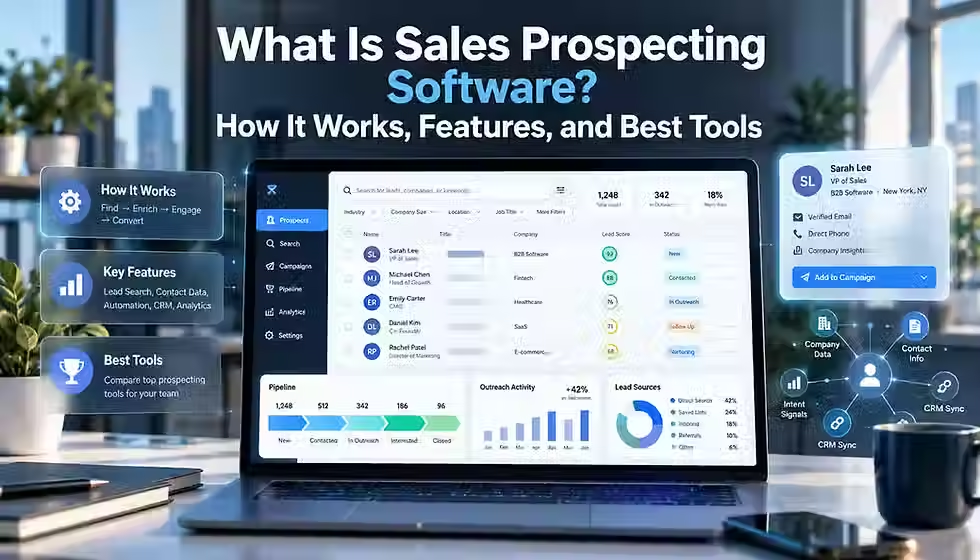
Buying a sales prospecting tool usually starts with a demo and ends with a surprise: the platform is excellent at one part of prospecting and does nothing for the rest. That happens because prospecting is not one task. It is a chain of separate jobs — picking the right accounts, finding the right people inside them, getting accurate contact details, noticing when a company is actually in a buying window, deciding who to call first, and getting all of that into the systems where a rep actually works. Different vendors built their products to solve different links in that chain, which is why “sales prospecting software” covers contact databases, sales intelligence platforms, enrichment tools, intent-data providers, and outreach systems that all get marketed with the same handful of buzzwords. This guide untangles that market: what the software actually does, how the pieces fit together, which features matter for which kind of team, and how a specific set of current tools compare on real, checkable facts rather than vendor taglines.
TL;DR
Sales prospecting software is a category of overlapping tools — contact databases, sales intelligence platforms, enrichment services, intent-data providers, and outreach systems — not one uniform product.
The core jobs are finding the right accounts and people, getting verified contact data, adding context and buying signals, prioritizing who to reach first, and syncing everything into a CRM or sequencer.
No single tool does all of this equally well. Coverage, accuracy, and data freshness vary a lot by region, company size, and job function, so the biggest database is not automatically the best one for your ICP.
Credit systems, seat minimums, and add-on costs (phone credits, enrichment, API access) usually matter more to total cost than the headline subscription price.
Buyers should test any shortlisted tool against their own account and contact list before signing an annual contract, because vendor demo data is not a reliable stand-in for your actual market.
AI has made research and enrichment faster, but it has not removed the need for a defined ideal customer profile (ICP) and human judgment about which signals actually mean something.
What Is Sales Prospecting Software? (Quick Answer)
Sales prospecting software helps B2B sales teams find target companies, identify decision-makers inside them, retrieve verified contact details such as emails and phone numbers, and surface buying signals so reps can prioritize outreach. Sales development reps, account executives, founders, and revenue operations teams use it to replace manual research and spreadsheets with searchable, enriched, CRM-ready prospect data.
What is your team’s biggest sales prospecting bottleneck right now?
0%Identifying the right target accounts
0%Finding accurate emails and phone numbers
0%Spotting genuine buying signals and timing
0%Prioritizing the right accounts and contacts
Table of Contents
What Is Sales Prospecting Software?
Sales prospecting software is a category of tools that help B2B sales teams find companies and people who match a target profile, retrieve verified contact information about them, and organize that information so reps can reach out. In practice the term covers several different product types — contact databases, sales intelligence platforms, enrichment tools, and intent-data providers — that share one job: replacing manual research with searchable, exportable prospect data.
A useful way to separate two terms that get used interchangeably: a lead is someone who has shown some interest in your company, usually by filling out a form, downloading content, or attending a webinar. A prospect is someone your team has identified as a good fit based on your ideal customer profile (ICP), whether or not they have shown any interest yet. Lead generation is largely inbound: it captures people who raised their hand. Prospecting is largely outbound: it goes out and finds the right people even though they have not raised their hand. Sales prospecting software is built for that second motion, though many platforms now blend both by layering intent signals on top of a contact database.
Prospecting sits at the top of the B2B sales funnel, before a conversation has happened. Once a prospect replies, books a meeting, or becomes a qualified opportunity, the record typically moves into a CRM, where sales engagement and deal-management tools take over. Prospecting software's job ends, in most cases, at the first genuine two-way conversation — after that, its usefulness is mostly about keeping the underlying account and contact data accurate.
Sales prospecting software is any tool that helps a sales team identify target accounts, find the people inside them, and retrieve verified contact details so reps can start outbound conversations without manual research.
What Does Sales Prospecting Software Actually Do?
Underneath the marketing language, prospecting software performs a small set of concrete jobs. Not every product does all of them — that is exactly why the category feels confusing — but most tools do at least a few of the following:
Identify target accounts — filtering a database of companies by industry, size, revenue, location, or technology used, so a rep can build a list that matches the ICP.
Find relevant people — searching within a target account for the roles or titles most likely to be involved in a buying decision.
Retrieve and enrich contact data — pulling verified emails, direct-dial or mobile numbers, and job details, and adding missing fields to records that already exist in a CRM.
Verify and clean data — running email or phone checks to reduce bounce rates and remove duplicate or outdated records.
Add account and contact context — firmographic details (headcount, revenue, industry) and technographic details (which software or infrastructure a company uses).
Surface signals and buying intent — flagging job changes, funding events, hiring surges, or third-party content consumption that suggest a company may be entering a buying window.
Prioritize prospects — scoring or ranking accounts and contacts so reps spend time on the likeliest opportunities first.
Build and export lists — assembling qualified prospects into lists that can be worked manually or pushed into another system.
Sync records — pushing new or enriched data into a CRM or sales engagement platform, ideally without creating duplicates.
Support outreach — in platforms that include a sequencer or dialer, starting the first email, call, or multi-step cadence directly from the same interface.
Very few products do all ten of these equally well. A contact database like UpLead is strong on the middle of that list (find, retrieve, verify) but does not sequence outreach. An intent platform like 6sense is strong on signals and prioritization but is not primarily a contact database. Knowing which of these ten jobs your team actually needs done is the first real filter in choosing a tool.
How Sales Prospecting Software Works
Most prospecting workflows follow a similar sequence, even though individual tools automate different stretches of it. A realistic version looks like this:
Define the ideal customer profile (ICP) — the firmographic and behavioral traits of accounts most likely to buy and succeed as customers.
Search and filter companies that match the ICP using firmographic and technographic filters.
Identify the decision-makers and buying-group members inside each target account.
Retrieve or enrich contact data — emails, direct dials, and job details — for each contact.
Verify and deduplicate the data against what already exists in the CRM.
Add context and signals, such as recent funding, hiring activity, or technology changes.
Score or prioritize the resulting list so reps work the strongest accounts first.
Push the finished list into a CRM or sales engagement platform.
Personalize and launch outreach using the context gathered in earlier steps.
Measure outcomes — replies, meetings, and won deals — and refine the ICP and filters accordingly.
A contact database typically automates steps two through five. An intent or signal platform strengthens steps six and seven. A sales engagement platform picks up from step eight onward. AI research tools increasingly compress steps three through seven into a single automated pass. No product on the market today owns the entire sequence end to end, which is the main reason most sales teams run more than one tool.
Main Types of Sales Prospecting Software
“Sales prospecting software” is better understood as a stack of overlapping categories than a single product type. Each category solves a different piece of the workflow above, and most vendors now blend two or three of these into one product, which is part of why comparing tools feels harder than it should.
Category | Primary purpose | Typical user | Main limitation |
B2B contact databases | Search and export verified emails and phone numbers for companies and people | SDRs, founders, agencies | Coverage and accuracy vary sharply by region and company size |
Sales intelligence platforms | Combine contact data with firmographics, technographics, and buying signals | RevOps, enterprise SDR teams | Broader feature set usually means a higher price and steeper setup |
Professional-network prospecting | Search and engage prospects through a social/professional graph | Relationship-led sellers, AEs | No verified email or direct-dial delivery; not built for bulk export |
Data enrichment providers | Fill in missing fields on existing CRM records, often by waterfalling several sources | RevOps, data teams | Quality depends entirely on the underlying sources being waterfalled |
Email finder and verification tools | Find and confirm the validity of a specific email address | Individual reps, recruiters | Narrow scope; no firmographic or intent layer |
Intent and signal platforms | Detect and score buying-stage signals across accounts | Marketing and ABM teams | Signals indicate interest, not confirmed purchase intent |
AI research and workflow tools | Orchestrate multiple data sources and AI models into custom enrichment workflows | RevOps/GTM engineers | Requires setup and technical comfort; cost scales with usage |
Sales engagement platforms with prospecting features | Combine light contact data with sequencing and multichannel outreach | SDR teams running high-volume outbound | Prospecting data is usually a secondary feature, not the core strength |
Sales Prospecting Software vs. CRM, Sales Intelligence, and Sales Engagement
These categories overlap in practice, but they answer different questions. A CRM answers “what has already happened with this account?” Sales intelligence and prospecting tools answer “who should we talk to next, and how do we reach them?” Sales engagement answers “how do we run and track the outreach itself?” Lead generation, mostly an inbound marketing function, answers “who has already shown interest?”
Category | Primary purpose | Typical data | Example use case |
CRM | Store and manage your own customer and deal history | First-party: deals, activities, notes, past interactions | Tracking a deal from first call to closed-won |
Sales prospecting / intelligence software | Supply external data about companies and people you have not engaged yet | Third-party: firmographics, contacts, signals | Building a list of 200 target accounts that match your ICP |
Data enrichment | Fill in missing or stale fields on records you already have | Third-party, matched against existing records | Adding a verified phone number to 5,000 contacts already in the CRM |
Lead generation | Capture inbound interest from marketing channels | First-party: form fills, downloads, webinar attendance | Following up with someone who requested a demo |
Sales engagement | Execute and track multi-step outbound sequences | Activity data: opens, replies, call outcomes | Running a 6-touch email and call cadence over three weeks |
In practice, hybrids are common: Apollo bundles a contact database with sequencing; Cognism bundles data with some engagement integrations; Salesloft and Outreach bundle engagement with light prospecting features. Treat the table above as a map of jobs, not a claim that any one tool sits in only one box.
Essential Features to Look For
Not every buyer needs every feature below. A solo founder doing 20 outbound touches a week needs a fraction of what a 40-person SDR org needs. Use this as a checklist to match against your own workflow rather than a list of boxes every vendor must tick.
Company search and firmographic filters (industry, size, revenue, location)
Contact search with role and seniority filters
Verified emails and, separately, direct-dial or mobile numbers — phone data is consistently scarcer and pricier
Real-time or batch verification to reduce bounces and invalid numbers
Enrichment of existing CRM records, not just new list-building
Technographic data and buying signals (job changes, funding, hiring surges, company-event alerts)
Saved searches and alerts so a list refreshes automatically as new matches appear
List building and export limits that fit your actual volume
Native, bidirectional CRM sync, not just a CSV export
API access and a browser extension, if you need custom workflows or in-context capture
Sequencing or dialer functionality, only if you want outreach in the same tool
AI-assisted research or personalization, evaluated on the underlying data quality, not the AI label alone
Scoring logic you can see and adjust, duplicate detection, and admin/audit controls for larger teams
Documented privacy and security practices, including a Data Processing Agreement (DPA) on request
Benefits of Sales Prospecting Software
Used well, prospecting software mainly buys back time and improves targeting — it does not manufacture demand on its own. The realistic benefits are:
Research efficiency: minutes instead of hours to build a qualified list
Better coverage of a market than one rep could find manually
More precise targeting through firmographic and technographic filters
Cleaner CRM data as records get enriched and deduplicated over time
Faster list creation for new campaigns, territories, or product launches
More context for personalization — knowing about a recent funding round or leadership change before the first call
Better prioritization, so reps spend limited time on the accounts most likely to convert
More consistent workflow across a team, instead of every rep researching a different way
None of this guarantees pipeline or revenue. The tool improves the inputs to prospecting; it does not replace a defined ICP, a credible offer, or a rep who can hold a conversation.
Limitations and Risks
The same features that make prospecting software useful create real failure modes if a team is not careful:
Stale or inaccurate records — people change jobs constantly, and even well-maintained databases lag reality
Credit consumption that outpaces the plan, especially for phone-number reveals
Duplicate data created by importing the same contact from multiple sources
Geography gaps — a database strong in North America may be materially weaker in EMEA or APAC, and vice versa
Compliance obligations that differ by jurisdiction and are easy to overlook under deadline pressure
Over-automation and generic AI personalization that sounds tailored but is built on thin research
Deliverability risk from bulk sending through poorly warmed domains or invalid addresses
Integration complexity when several data tools write to the same CRM fields
Low adoption if reps find the tool slower than what they already do manually, or paying for capability the team never uses
Who Needs Sales Prospecting Software?
Fit depends more on volume and repeatability than on company size alone.
Individual sellers and founders doing occasional outbound may be fine with LinkedIn, a free email finder tier, and a spreadsheet.
SDR and BDR teams running weekly outbound quotas are the clearest fit — the time saved compounds fast at volume.
Account executives use prospecting tools mostly for account and buying-committee research ahead of a call, not high-volume list-building.
RevOps and GTM engineering teams use enrichment and workflow tools to keep CRM data clean at scale.
Agencies running outbound for multiple clients need multi-workspace support and per-client data segmentation.
SMB teams usually prioritize price and simplicity over depth of signals.
Mid-market teams tend to need a real intent or signal layer, not just a database.
Enterprise and ABM teams need account-level orchestration across marketing and sales, which pushes toward platforms like 6sense rather than a pure contact database.
A manual, spreadsheet-based process can still be the right call for very low outbound volume or a single founder validating a market before investing in tooling. The software earns its cost once research time, not conviction, is the bottleneck.
Best Sales Prospecting Software and Tools
The tools below were selected for current relevance to sales prospecting, spanning contact databases, sales intelligence, professional-network prospecting, enrichment/AI workflows, and intent-led account prioritization. Each was checked against its own product and pricing pages plus third-party pricing trackers (Vendr, G2, Capterra) as available; figures reflect research conducted in September 2026 and should be re-verified on the vendor's own pricing page before you buy, since these platforms change plans often. There is no numeric scoring system and no single “best overall” pick — fit depends on your data needs, geography, budget, and whether you want data alone or data plus outreach. Evaluation criteria: breadth of prospecting functionality, data coverage by region, depth of intent/signal data, CRM integrations, pricing transparency, and a clear best-fit use case. None of these tools were tested hands-on for this article; the assessments below are based on vendor documentation, public pricing pages, and independent reporting, cited by tool.
Tool | Best suited for | Core strength | Free option | Pricing visibility | Important caveat |
Apollo.io | All-in-one data + outreach for SMB/mid-market | Large contact database bundled with sequencing and a dialer | Yes | Published tiers ($49–$119/user/mo, annual) | Real cost depends heavily on credit consumption, especially for phone reveals |
ZoomInfo | Enterprise sales intelligence at scale | Broad US-centric data plus WebSights and Scoops intent signals | Limited free “Lite” tier | Custom, quote-based (reported ~$15K+/yr entry) | No self-serve pricing; contracts are annual and modular |
Cognism | Compliance-first prospecting for EMEA/UK teams | Human-verified “Diamond Data” mobile numbers and GDPR/DNC-aware sourcing | No | Fully custom, quote-based | No public pricing at all; best evaluated with a real data sample from your target market |
LinkedIn Sales Navigator | Relationship-led, LinkedIn-centered prospecting | Direct access to LinkedIn's professional graph, job-change and account alerts | Trial only | Published seat pricing (Core, Advanced, Advanced Plus tiers) | Does not deliver verified emails or direct-dial numbers — needs a data tool alongside it |
Lusha | Budget-conscious contact discovery for small teams | Fast contact reveal via browser extension, simple self-serve tiers | Yes | Published entry tiers, higher tiers gated to custom pricing | Phone reveals cost several credits each; light on account-level intent |
Clay | Flexible, AI-driven enrichment and waterfall workflows | Combines multiple data providers with AI research (“Claygent”) in custom workflows | Yes, limited | Published entry tiers, dual-currency (Actions + Data Credits) usage model | Requires setup effort; the AI credit system adds cost-forecasting complexity |
6sense | Enterprise account-based prospecting and intent | Predictive buying-stage scoring across large account lists | Limited free tier (no intent features) | Custom, quote-based (reported five- to six-figure annual contracts) | Full value requires dedicated RevOps support and marketing/sales alignment |
LeadIQ | Fast, one-click capture into a CRM or sequencer | Chrome extension that pushes a verified contact from LinkedIn straight into Salesforce/CRM | Yes, limited seats | Published entry tiers with credit-based scaling | Database breadth is narrower than Apollo or ZoomInfo; heavy AI-drafting use can raise real cost |
UpLead | Budget teams that prioritize verified data over breadth of features | Real-time email verification at the point of export, with a stated accuracy guarantee and credit refunds | Trial only | Published tiers (Essentials $99/mo, Plus $199/mo, Professional custom) | No sequencing or outreach tools — pure prospecting/data, not execution |
Hunter | Lightweight email finding and verification | Domain search plus deliverability checks, simple and cheap for email-only needs | Yes (50 credits/mo) | Published tiers | Coverage weakens for very small companies with limited public email footprint; no phone data |
A note on how to read that table: “free option” does not mean the product is usable at scale for free — most free tiers exist to let you test data quality on a small sample, which is exactly what this article recommends doing before you buy anyway.
Apollo.io
Apollo combines a contact database (Apollo states 240M+ people and 30M+ companies) with built-in email sequencing and a dialer, which is why it is often described as an all-in-one prospecting and outreach platform rather than a pure data provider. Its own comparison pages list four self-serve tiers as of mid-2026: Free ($0, 900 credits/year), Basic ($49/user/month, 30,000 credits/year), Professional ($79/user/month, 48,000 credits/year, includes a US dialer), and Organization ($119/user/month, minimum 3 seats, 72,000 credits/year, includes SSO). Third-party pricing trackers consistently note that phone-number reveals cost several times more credits than email reveals, and credits typically expire on a monthly or annual cycle without rollover, so real spend often runs higher than the sticker price for phone-heavy teams. Apollo is a strong fit for SMB and mid-market teams that want data, list-building, and outreach in one subscription rather than stitching together separate tools.
ZoomInfo
ZoomInfo is one of the largest B2B data platforms on the market, organized into separate modules — Sales, Marketing, Intent, and others — rather than one flat plan. It does not publish self-serve pricing; third-party pricing analyses and buyer-reported figures put entry contracts around $15,000 per year, scaling into six figures with more seats and modules. A free “ZoomInfo Lite” tier offers a small number of monthly export credits, useful mainly for sampling data quality. ZoomInfo's own WebSights and Scoops intent products, plus technographic data, are frequently cited as differentiators for US-centric enterprise teams. Expect a sales-assisted, negotiated purchase process rather than a self-serve checkout.
Cognism
Cognism is built around compliant, phone-verified B2B data, marketed as “Diamond Data” for human-verified mobile numbers, plus do-not-call and Telephone Preference Service scrubbing aimed at UK/EU calling rules. It publishes no dollar pricing; third-party trackers report a wide range, roughly $15,000 to $50,000 per year depending on seats and data access, with Cognism itself directing buyers to a custom quote. It suits teams running compliance-sensitive, phone-heavy outbound into European markets; for US-only, email-driven motions, reviewers generally point toward Apollo or ZoomInfo instead.
LinkedIn Sales Navigator
Sales Navigator is built directly on LinkedIn's professional graph rather than a separate contact database, which gives it real-time job-change alerts, shared-connection paths, and account-following features that a pure data vendor cannot replicate. It publishes seat pricing across three tiers — Core, Advanced, and Advanced Plus — with reported Core pricing in roughly the $99–$120 per seat per month range depending on billing term, Advanced priced higher, and Advanced Plus sold as a custom enterprise contract with two-way CRM sync. Its defining limitation is structural rather than a gap that might close: Sales Navigator does not deliver verified emails or direct-dial phone numbers, so most teams run it alongside a contact-data tool rather than as a replacement for one.
Lusha
Lusha is built around fast contact reveal, largely through a browser extension that surfaces a verified email or phone number while a rep is already on LinkedIn or a company website. Published self-serve tiers (reported around $37–$70 per user per month on annual billing for Starter and Pro, scaling toward roughly $400/month for Premium) sit below several competitors, with a genuine free tier for very light use. Reviewers note that phone-number reveals consume noticeably more credits than emails, and that Lusha's account-level intent and technographic depth is lighter than platforms built primarily around signals. It suits small teams and individual reps who want quick, low-cost contact lookup without a heavy platform commitment.
Clay
Clay is not a single data source; it is a workflow-building tool that lets a team pull from many enrichment providers in a “waterfall” (try source A, fall back to source B, and so on) and layer AI research (Clay calls this “Claygent”) on top of the results. Clay overhauled its pricing in March 2026 to a dual-currency model — platform “Actions” and “Data Credits” billed separately — with self-serve tiers reported in the roughly $150–$200+ per month range and enterprise contracts starting near $30,000 per year, per third-party trackers. A free plan exists but caps out fast. Clay fits RevOps and GTM engineering teams comfortable building and monitoring custom enrichment logic; it is a poor fit for a team that wants a ready-made database to search on day one.
6sense
6sense is an account-based marketing and intent platform whose core differentiator is predictive scoring — modeling which accounts on a target list are entering a buying stage, based on aggregated intent signals across the web. It removed named public pricing tiers in 2025 and now sells exclusively through a custom quote; third-party buyer-data trackers report entry contracts commonly landing in the $25,000–$60,000 per year range, with large deployments reaching well beyond that once advertising spend and implementation are included. A limited free plan covers basic search only, excluding the intent and predictive-scoring features that are 6sense's reason for being. This is an enterprise ABM tool, not a lightweight prospecting add-on.
LeadIQ
LeadIQ is built around a specific moment in the workflow: a rep is looking at a LinkedIn profile and wants a verified email and phone number pushed directly into Salesforce or a sequencer with one click, without manual copy-paste. It layers job-change tracking and AI-assisted message drafting on top of that core capture flow. LeadIQ publishes a free tier with a single seat and credit-based paid tiers above it. Reviewers consistently note that its underlying database is narrower than Apollo's or ZoomInfo's, so it is a better fit for teams that already have a data source and want faster capture into their CRM than for a team looking for its primary prospecting database.
UpLead
UpLead's main pitch is data quality over data volume: it runs a real-time email verification check at the moment a contact is exported, rather than serving pre-verified records from a static list, and it offers credit refunds on invalid contacts under a stated 95% accuracy guarantee. Its own pricing page lists Essentials at $99 per month (170 credits) and Plus at $199 per month (400 credits), with a custom-priced Professional tier above that; a free trial is available but there is no ongoing free plan. UpLead does not include sequencing or outreach tools, so it works best for teams that already have an outreach system and want a straightforward, transparently priced data layer to feed it.
Hunter
Hunter is a narrowly scoped tool: it finds and verifies professional email addresses via domain search, and little else. Its free plan includes 50 credits per month, with paid tiers scaling up from a reported entry point in the $34–$49 per month range depending on billing term. Because Hunter's index leans on publicly discoverable email patterns, coverage is noticeably weaker for very small companies and startups with little public web footprint, and it carries no phone-number or firmographic data at all. It is a sensible, low-cost choice specifically for email discovery and verification, not a general prospecting platform.
How to Compare Sales Prospecting Tools
A useful comparison framework goes well beyond “which database is bigger.” Work through these factors in order, because several of them will eliminate options before price even becomes a factor:
ICP and sales motion — who you sell to and how (inbound-assisted outbound, cold outbound, ABM)
Geography — does the vendor's data actually perform well in the regions you sell into
Data coverage and accuracy — checked against your own sample, not the vendor's headline claim
Phone vs. email needs, and how often records are re-verified for freshness
Search depth and whether intent data is genuinely predictive or a generic activity feed
CRM ecosystem fit — native, bidirectional sync versus one-way CSV export
Automation and AI needs, API access, and admin/governance controls appropriate to your team size
Seat-based vs. credit-based pricing, and which model fits your usage pattern
Contract terms, onboarding quality, and total cost of ownership once add-ons are included
Published database size is the weakest signal on this list by itself. A 300-million-contact claim is meaningless if your ICP is 200-person manufacturing companies in Germany and the vendor's real strength is US SaaS. Coverage has to be checked against your specific market, not the vendor's total.
How to Test Prospecting Software Before Buying
Before signing an annual contract, run a controlled trial using your own accounts and contacts, not the vendor's demo data. A representative sample — 50 to 100 accounts and 200 to 500 contacts that reflect your actual ICP — is enough to expose most of a tool's real strengths and weaknesses.
Match rate: what share of your sample accounts and contacts the tool actually finds
Email coverage and validity, and phone coverage if calling matters to your motion
Title/seniority accuracy and data freshness against what you already know to be true
Duplicate handling and CRM sync behavior — clean records or duplicated/overwritten ones
Search usability and real workflow time from search to CRM-ready list, not the demo click-through
Credit consumption extrapolated to your expected monthly volume, and rep adoption
Score every vendor you are evaluating against the same sample and the same checklist. Vendor-selected demo accounts are chosen because they perform well; your own list will not lie to you the same way.
Sales Prospecting Software Pricing Explained
Prospecting software is priced through a small number of recurring mechanics, usually combined rather than used alone:
Per-seat subscriptions — a flat monthly or annual price per user, common on Apollo, Lusha, and LinkedIn Sales Navigator
Credits — a pooled allowance consumed per email reveal, phone reveal, export, or enrichment action; the unit economics (a phone number typically costs several times more credits than an email) matter more than the headline credit count
Minimum seats or minimum contract value, common on Apollo's top tier and most enterprise platforms
Enterprise or custom contracts, standard for ZoomInfo, Cognism, and 6sense, where price depends on seats, modules, and negotiated terms
Add-ons — API access, additional phone credits, CRM enrichment, or Data-as-a-Service delivery, often billed separately from the base plan
Free plans and trials — useful for evaluating data quality on a small sample, rarely usable for real production volume
The gap between headline price and real spend is almost always the credit system, not the seat price. A team that does a lot of phone-based outbound will burn through a monthly credit pool far faster than one doing mostly email, even on the same plan tier — model your expected usage against the vendor's stated per-action credit costs before you commit, not just the plan price.
Data Accuracy, Privacy, and Compliance
This section is general information, not legal advice; consult qualified counsel for your specific situation and jurisdiction. Under the EU General Data Protection Regulation (GDPR), a business email tied to an identifiable person is personal data, and processing it for direct marketing generally relies on the “legitimate interest” basis under Article 6(1)(f) rather than prior consent — but that basis requires passing a documented purpose, necessity, and balancing test, not just asserting it. In the United States, the CAN-SPAM Act (enforced by the FTC) governs commercial email regardless of B2B or B2C framing, requiring accurate headers, a clear ad disclosure where applicable, and a working opt-out mechanism honored promptly. California's CCPA/CPRA adds separate consumer rights to know, delete, and opt out of data sales for businesses that meet its thresholds.
Three things are easy to conflate and should not be:
A vendor's compliance claim — marketing language stating the platform is “GDPR compliant” or “CCPA compliant”
The software's actual controls — documented data sourcing, a Data Processing Agreement (DPA), certifications such as SOC 2 or ISO 27001, and opt-out/suppression mechanisms
The customer's own legal responsibility — how your team collects, stores, and uses the data once it leaves the vendor's platform, including maintaining suppression lists and honoring opt-outs
Buying data from a reputable vendor reduces some risk but does not transfer your obligations to that vendor. Maintain your own suppression list, honor opt-out and deletion requests within the timeframe your jurisdiction requires, and document why a given outbound campaign qualifies as a legitimate business interest where that basis applies. Data freshness is also a compliance issue as much as a quality one: contacting someone at a company they left months ago is both a wasted touch and, in some jurisdictions, a sign of inadequate data governance.
How AI Is Changing Sales Prospecting Software
AI has changed prospecting mostly by compressing research time, not by replacing the judgment behind a prospecting strategy. Capabilities that are genuinely available today across multiple vendors include natural-language search over a contact database, AI-assisted account research that summarizes a company's recent news and signals, enrichment orchestration that tries several data sources automatically (Clay's core mechanic), signal interpretation that turns raw activity into a prioritized account list, and AI-drafted first-pass personalization for outreach messages.
What AI has not solved is judgment about which signals actually matter for your specific ICP, and it has not made bad targeting good. A prospect list built against the wrong ICP, then personalized by AI, is still a wrong-ICP list — just written more fluently. The practical implication for buyers: evaluate an AI feature on the quality of the underlying data and logic it is drawing from, not on the presence of an AI label. Where this heads next — more autonomous “AI SDR” agents that research, personalize, and sequence with less human review — is a real trend worth watching, but it remains earlier-stage and unevenly reliable across vendors as of late 2026, and human review before send is still the norm at most companies using these features.
Common Sales Prospecting Software Mistakes
Buying a tool before defining the ICP it needs to search against
Choosing a vendor by database-size claims alone, without checking coverage in your actual market
Ignoring geography — assuming a US-strong database performs the same in EMEA or APAC
Skipping a real data test and trusting demo-account results instead
Stacking multiple overlapping data vendors without a clear reason, multiplying cost and duplicate data
Failing to integrate the tool cleanly with the CRM, creating parallel and inconsistent records
Automating outreach against weak targeting, which just makes bad prospecting faster
Ignoring compliance obligations under deadline pressure, and underestimating credit usage
Measuring activity (emails sent, calls dialed) instead of outcomes, or rolling out a tool without training reps on it
How to Build a Modern Prospecting Tech Stack
There is no single correct stack — the right combination depends on team size, sales motion, and budget. Four illustrative patterns:
Lean startup: one all-in-one tool (for example, Apollo or a comparably bundled platform) covering data, light enrichment, and outreach in a single subscription, kept simple on purpose.
Growing SDR team: a primary contact database plus a dedicated sales engagement platform, integrated tightly with the CRM so reps work from one queue.
Data-heavy outbound / RevOps: a workflow tool like Clay orchestrating several enrichment sources in a waterfall, feeding a cleaned, deduplicated record into the CRM before any outreach starts.
Enterprise / ABM: an intent and account-scoring platform like 6sense feeding prioritized accounts to sales, paired with an enterprise-grade contact database and a formal RevOps function to keep it all in sync.
The general principle: consolidate where one platform genuinely covers a function well, and add a specialist layer only where a real gap exists — not because a new tool looked impressive in a demo.
How to Measure ROI From Prospecting Software
Useful metrics for judging whether a prospecting tool is paying for itself include the valid-contact rate (what share of retrieved contacts are actually reachable), research time saved per rep, connect rate, reply rate, meeting rate, qualified-opportunity conversion rate, cost per qualified meeting, credit consumption relative to plan, rep adoption, and pipeline the tool can be credibly tied to.
Attribution has real limits: a tool that supplies accurate contact data is only one input into whether a deal closes, alongside message quality, timing, and the rep's own skill. Treat prospecting-tool ROI as directional evidence, not a clean causal number, and be skeptical of any benchmark that claims a universal reply-rate or conversion-rate standard — those vary enormously by industry, offer, and list quality, and no credible source publishes one figure that applies broadly.
Frequently Asked Questions
What is sales prospecting software?
Sales prospecting software helps B2B sales teams find target companies, identify decision-makers inside them, and retrieve verified contact details such as emails and phone numbers. It replaces manual research and spreadsheets with searchable, enriched, exportable prospect data that can feed a CRM or outreach tool.
How does prospecting software actually work?
Most tools maintain a searchable database of companies and people, built from public sources, contributed data, and licensed data partnerships. A user filters that database by firmographic or technographic criteria, the tool returns matching accounts and contacts, and it can verify, enrich, or export the results into a CRM or sequencer.
What is the difference between prospecting software and a CRM?
A CRM stores your own first-party history with accounts you have already engaged — deals, notes, and past activity. Prospecting software supplies third-party data about companies and people you have not yet engaged, so you can find and reach them in the first place.
What is the difference between lead generation and prospecting?
Lead generation is largely inbound: it captures people who have already shown interest, typically through a form fill or content download. Prospecting is largely outbound: it identifies and reaches people who match your ideal customer profile even though they have not raised their hand yet.
Which features matter most when choosing prospecting software?
Prioritize accurate contact data for your specific market and ICP, coverage in the geographies you sell into, clean CRM sync, and pricing transparency. Advanced features like intent data or AI research only add value once the core data quality is solid for your actual target market.
Can prospecting software find email addresses?
Yes. Most prospecting and sales intelligence tools include email discovery and verification, ranging from narrowly scoped tools like Hunter to broader platforms like Apollo, ZoomInfo, and UpLead that bundle email finding with company search and enrichment.
Can prospecting tools find phone numbers?
Many can, but direct-dial and mobile numbers are consistently scarcer and more expensive than emails across every vendor, and accuracy varies more by region. Tools like Cognism and Lusha are frequently recommended specifically for phone-heavy outbound motions.
Is LinkedIn Sales Navigator sales prospecting software?
Yes, in the sense that it helps identify and research prospects, but it is structurally different from a contact database: it does not deliver verified emails or direct-dial phone numbers. Most teams pair it with a separate data tool rather than relying on it alone.
Is buying B2B contact data legal?
Generally yes, when the data is sourced and used properly, but rules vary by jurisdiction. In the EU, processing business contact data for direct marketing typically relies on GDPR's legitimate-interest basis, which carries documentation obligations. In the US, the CAN-SPAM Act governs commercial email regardless of B2B framing. This is general information, not legal advice — consult counsel for your specific situation.
How accurate is B2B contact data, in general?
Accuracy varies significantly by vendor, region, and company size, and no single figure applies across the market. Vendors publish their own accuracy claims (for example, UpLead's stated 95% guarantee), which should be treated as vendor-reported figures to verify against your own sample rather than as independent, universal facts.
What does sales prospecting software cost?
Costs range from free tiers and self-serve plans starting around $30–$100 per user per month (Hunter, Lusha, UpLead, Apollo) up to custom enterprise contracts in the five to six figures annually (ZoomInfo, Cognism, 6sense). Credit consumption, seat minimums, and add-ons usually matter more to total cost than the headline plan price.
What should a small business prioritize when choosing prospecting software?
Small teams generally get the most value from transparent, self-serve pricing, a genuine free or low-cost tier to test data quality, and simplicity over a large feature set they will not use. Data accuracy for their specific market matters more than raw database size.
Can AI fully automate sales prospecting?
Not reliably as of late 2026. AI can speed up research, enrichment, and first-draft personalization, but it still depends on a correctly defined ICP and human judgment about which signals genuinely indicate buying readiness. Fully autonomous “AI SDR” agents exist but remain earlier-stage and unevenly reliable across vendors.
How should a team test prospecting software before buying?
Run a controlled trial using your own accounts and contacts, not vendor demo data — a sample of 50 to 100 accounts and 200 to 500 contacts is usually enough. Check match rate, email and phone accuracy, duplicate handling, CRM sync behavior, and real workflow time before signing an annual contract.
Do sales teams need more than one prospecting tool?
Often, yes, because no single product does every step of prospecting equally well. Many teams pair a contact database with a separate intent or engagement tool, but stacking overlapping vendors without a clear reason increases cost and creates duplicate data — add a tool only for a specific gap.
How often should prospect data be refreshed?
There is no universal interval, since it depends on job-change velocity in your target market, but stale records are one of the most common complaints about contact databases. Favor vendors with visible verification-date information and re-check high-priority accounts before a major outreach push rather than relying on a static export indefinitely.
Key Takeaways
Sales prospecting software is a stack of overlapping categories — contact databases, sales intelligence, enrichment, and intent platforms — not one uniform product.
The core jobs are identifying accounts and people, retrieving verified contact data, adding context and signals, prioritizing outreach, and syncing everything into a CRM.
Database size is a weak signal by itself; coverage and accuracy have to be checked against your specific ICP and geography.
Credit economics, seat minimums, and add-on costs usually shape total spend more than the headline subscription price.
Test any shortlisted tool against your own account and contact sample before signing an annual contract.
A vendor's compliance claim, the software's actual controls, and your own legal responsibility for using the data are three separate things — don't conflate them.
AI has meaningfully sped up research and enrichment, but it has not removed the need for a defined ICP or human judgment about which signals matter.
Most sales teams end up running more than one prospecting-related tool because no single product covers every stage of the workflow equally well.
Actionable Next Steps
Define your ideal customer profile (ICP) in specific, filterable terms — industry, size, geography, and any technographic signals that matter.
Map which of the ten prospecting jobs described earlier your team actually needs software to do.
Set your data requirements: which geographies matter, and whether phone data is a hard requirement.
Shortlist 2–4 tools from different categories in this guide rather than only comparing lookalike products.
Run a controlled data test on each shortlisted tool using your own account and contact sample.
Model realistic monthly cost, including credits and add-ons, against your expected usage — not just the listed seat price.
Review each vendor's privacy, security, and DPA documentation before committing.
Test the CRM sync in a sandbox or limited rollout before a full team migration.
Pilot with a small group of reps and gather adoption feedback before expanding seats.
Review outcomes — meetings, qualified opportunities, and pipeline — after 60–90 days and adjust or renegotiate accordingly.
Glossary
Prospect: A company or person your team has identified as a good fit based on your ICP, whether or not they have shown any interest yet.
Lead: A person who has shown some interest in your company, typically by filling out a form, downloading content, or attending a webinar.
ICP (Ideal Customer Profile): The firmographic and behavioral traits of the accounts most likely to buy from you and succeed as customers.
Firmographics: Company-level attributes such as industry, headcount, revenue, and location, used to filter and qualify target accounts.
Technographics: Data about which software, platforms, or infrastructure a company uses, often used as a targeting signal.
Sales intelligence: A category of software that combines contact data with firmographics, technographics, and buying signals to help sales teams prioritize prospects.
Enrichment: The process of filling in missing or updating stale data fields on records you already have, often by pulling from one or more external providers.
Intent data: Signals — such as content consumption, hiring activity, or website visits — used to infer that a company may be entering a buying window.
Direct dial: A phone number that reaches a specific individual directly, as opposed to a general company switchboard number.
Verification: The process of checking that an email address or phone number is currently valid and reachable, used to reduce bounce rates.
Sales engagement: Software used to execute and track multi-step outbound sequences across email, phone, and other channels.
CRM (Customer Relationship Management): A system that stores your own first-party history with accounts and contacts, including deals, notes, and past interactions.
ABM (Account-Based Marketing): A go-to-market approach that targets and coordinates outreach to a defined list of high-value accounts, rather than a broad lead pool.
Buying signal: A specific, observable event — a funding round, a leadership change, a hiring surge — used as evidence that an account may be approaching a purchase decision.
Lead scoring: A method of ranking prospects by their likelihood to convert, based on firmographic fit, behavior, or signals.
API (Application Programming Interface): A way for one piece of software to programmatically request data or trigger actions in another, used to build custom prospecting or enrichment workflows.
Data credit: A unit of consumption in credit-based pricing models, typically spent when revealing an email, a phone number, or exporting a record.
Sources & References
Apollo vs. ZoomInfo: Pricing, Features & Data Compared (2026) — Apollo.io
Apollo vs. Amplemarket: Features, Pricing & Use Cases (2026) — Apollo.io
Apollo vs. Lusha: Features, Pricing & B2B Data Compared (2026) — Apollo.io
ZoomInfo Pricing 2026: Plans, Costs, Hidden Fees & ROI — The Quantum Leap
ZoomInfo vs. Cognism: Which should you choose in 2026? — Artisan
Cognism Pricing: Plans and Costs Overview — ZoomInfo Pipeline
LinkedIn Sales Navigator Pricing Overview — ZoomInfo Pipeline
Lusha Pricing Review 2026: Plans, Credits, and What Each Tier Gets You — Salesmotion
Clay Pricing 2026: $149-$800/mo Plans + Hidden Credit Costs — Warmly
6sense Pricing in 2026: Plans, Credits and What You'll Actually Pay — Docket
6sense Pricing [2026]: Real Quotes from $25K to $120K/yr (Vendr + G2 Data) — MarketBetter
UpLead Pricing: Plans and Features Overview — ZoomInfo Pipeline
Hunter.io Pricing, Plans & Key Features: Is It Worth It? — UpLead
Hunter.io Review: Data Coverage, Features & Pricing — Explorium
G2's 2026 Report: The State of AI Sales Intelligence in Prospecting — G2
B2B Data Compliance Checklist: GDPR, HIPAA & CAN-SPAM — SparkDBI
The Sales Leader's Guide to B2B Data Compliance (GDPR, CCPA, and Beyond) — Unify