


What Is Shift Scheduling Software? How It Works, Features, and Best Tools in 2026
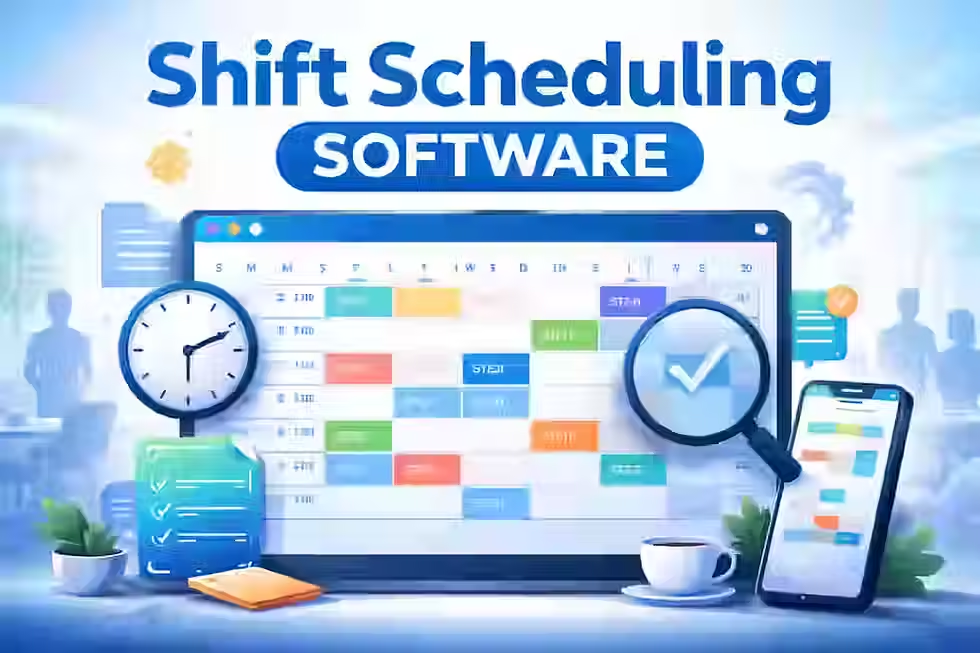
Every manager who has ever built a weekly schedule in a spreadsheet—only to have three employees call out sick, two swap shifts without telling anyone, and payroll ask why overtime is 30% over budget—knows exactly why shift scheduling software exists. Scheduling hourly and shift-based teams is one of the most underestimated operational challenges in business, and in 2026, doing it manually is a liability most organizations can no longer afford.
Get the AI Playbook Your Business Can Use today, Click Here
TL;DR
Shift scheduling software automates and streamlines how managers create, publish, and manage employee work schedules.
It replaces spreadsheets, paper rotas, and group chats with a centralized, rules-aware platform that employees can access on any device.
Core features include drag-and-drop scheduling, availability management, overtime alerts, shift swapping, payroll integration, and labor cost tracking.
Industries from healthcare and restaurants to warehouses and security firms rely on it to manage complex, high-volume scheduling across multiple locations.
The right tool depends on team size, shift complexity, compliance requirements, and how tightly scheduling needs to connect with payroll and time tracking.
Implementation success depends as much on manager training and clear rule-setting as it does on software selection.
What is shift scheduling software?
Shift scheduling software is a digital platform that helps managers build, publish, and manage employee work schedules. It replaces manual methods like spreadsheets and paper rotas with an automated, centralized system. Employees can view shifts, submit availability, request time off, and swap shifts via web or mobile app. The software also alerts managers to overtime risks, coverage gaps, and compliance issues in real time.
Get the AI Playbook Your Business Can Use today, Click Here
Table of Contents
What Is Shift Scheduling Software?
Shift scheduling software is a category of workforce management technology that allows businesses to plan, organize, and distribute employee work schedules digitally. It covers the entire scheduling lifecycle—from building a week's roster and checking for conflicts to publishing the schedule, handling last-minute changes, and feeding hours into payroll.
At its simplest, it replaces the spreadsheet or whiteboard. At its most capable, it connects scheduling with labor demand forecasting, time and attendance tracking, HR compliance rules, and real-time workforce analytics.
Who Uses It?
Shift scheduling software is built for any business that manages employees working in defined time windows—what the industry calls "shifts." That includes:
Restaurants, cafes, and bars
Retail stores, supermarkets, and pharmacies
Hotels, resorts, and hospitality venues
Warehouses, distribution centers, and logistics hubs
Manufacturing plants and production floors
Cleaning and facilities management companies
Call centers and customer support operations
Field service businesses
If your team works in shifts—morning, afternoon, evening, overnight, or rotating—this software was built for you.
How Is It Different from a Spreadsheet or Shared Calendar?
A spreadsheet can hold a schedule. A shared calendar can display it. But neither does anything with it. Neither flags when an employee is scheduled during their unavailable hours. Neither warns you that you're about to hit overtime. Neither lets an employee claim an open shift from their phone at 11 p.m. Neither tells you that you're spending 18% more on labor than last week.
Shift scheduling software is active, not passive. It enforces rules. It reacts. It connects. That is the fundamental difference.
Get the AI Playbook Your Business Can Use today, Click Here
How Shift Scheduling Software Works
Understanding the mechanics of shift scheduling software makes it far easier to evaluate and implement. Here is how a typical platform operates in practice.
Step 1: Set Up Your Business Structure
Before any schedule is created, the system is configured to reflect your operation. This includes:
Business hours by location and day
Roles and positions (e.g., barista, kitchen hand, security officer, nurse aide)
Locations or departments for multi-site operations
Staffing requirements per shift, per role, per location
Labor rules such as minimum rest periods between shifts, maximum consecutive days, and break requirements
This setup turns the software from a blank canvas into a rules-aware scheduling engine.
Step 2: Build Employee Profiles
Each employee in the system has a profile that includes:
Availability windows (which days and hours they can work)
Role qualifications and certifications
Employment type (full-time, part-time, casual)
Contracted hours or weekly limits
Pay rates (relevant for labor cost tracking)
Leave balances
The richer these profiles, the smarter the scheduling becomes. When a manager drags a shift onto an employee's slot, the system checks whether that assignment is valid—not just empty.
Step 3: Create Shifts
Shifts can be created in several ways depending on the platform and business need:
Manually, by dragging and dropping into a visual schedule builder
From templates, using saved shift patterns for recurring weeks or rotations
Automatically, where the platform generates a draft schedule based on demand, role requirements, and availability
Most businesses use a combination—templates for stable periods, manual edits for exceptions, and automation as a time-saving starting point.
Step 4: Conflict and Compliance Checks
As the schedule is built, the software runs real-time checks in the background. It flags:
Employees scheduled outside their stated availability
Shifts that would push someone into overtime
Uncovered positions with no assigned staff
Back-to-back shifts that violate rest period rules
Employees missing required certifications for the assigned role
Managers see these warnings before publishing. This turns scheduling from a guessing exercise into a verified, rule-compliant process.
Step 5: Publish and Notify
Once the schedule is ready, the manager publishes it. Employees receive instant notifications—via mobile app, email, or SMS—that their schedule is available. They can view their upcoming shifts from any device.
Step 6: Employee Actions
This is where shift scheduling software moves beyond a simple viewing tool. Employees can:
Confirm that they have seen their schedule
Request time off directly in the app
Offer their shift for swapping if personal circumstances change
Claim open shifts posted by the manager for additional hours
Submit availability updates for upcoming periods
All of these actions route through the system rather than through group chats, text messages, or hallway conversations. Everything is logged.
Step 7: Manager Approval and Live Monitoring
Managers receive requests, review them, and approve or decline within the platform. A real-time dashboard shows current coverage, upcoming gaps, and shift status across all locations.
Step 8: Data Sync with Related Systems
Once shifts are published and worked, the data flows to connected systems:
Time and attendance: Actual clock-in/clock-out times are compared against scheduled shifts
Payroll: Hours worked are sent to payroll software to calculate earnings
HR: Leave and absences are recorded in the employee record
Reporting: Labor cost, coverage, and schedule adherence data is compiled for management review
This data flow turns the schedule from a one-week plan into a continuous record of how your workforce is deployed and at what cost.
Get the AI Playbook Your Business Can Use today, Click Here
Core Features Explained
Drag-and-Drop Schedule Builder
The visual schedule builder is the primary workspace for managers. Shifts are displayed in a grid view—typically by day, employee, or role—and managers assign shifts by dragging them into position. This replaces manual cell editing in spreadsheets and eliminates the need to reference separate documents for availability or role compatibility. Who benefits most: Small to mid-sized teams where managers build schedules manually.
Recurring Shift Templates
For businesses with stable, predictable scheduling patterns—a restaurant that always needs two servers on Tuesday mornings, a call center with a fixed rotation—templates allow managers to save a complete week's structure and reuse it. Edits can be made from the template rather than starting from scratch. Real-world use: A hotel housekeeping manager creates separate templates for weekday and weekend rosters and deploys the correct one each week with a single action.
Employee Availability Management
Employees submit their working availability through the platform—either as fixed weekly patterns or on a week-by-week basis. The software stores and applies this data when generating schedules. If a manager tries to schedule someone during an unavailable window, the system flags it. Why it matters: Reduces the volume of last-minute call-outs caused by employees being scheduled when they cannot work.
Role-Based Scheduling
Different shifts require different skills. Role-based scheduling ensures that only employees with the right qualifications are assigned to specific positions. A forklift operator must hold the relevant certification. A senior nurse cannot be replaced with a healthcare assistant without the system noting the gap. Who benefits most: Healthcare, security, manufacturing, and any regulated sector with certification requirements.
Multi-Location Scheduling
For businesses operating across multiple sites, multi-location scheduling provides a unified view across all locations. Managers can see coverage at every site from a single dashboard, share employees across locations, and apply location-specific rules. Real-world use: A retail chain with 12 stores can check Sunday coverage across all sites simultaneously and reassign casual staff where gaps appear.
Overtime Alerts
When a scheduled shift would push an employee into overtime—beyond their contracted hours, beyond a daily maximum, or into a costly overtime band—the system sends an alert before the schedule is finalized. Managers can reassign the shift to an employee who has available hours. Why it matters: Overtime is a significant and controllable labor cost. Many businesses discover consistent overtime patterns only when they start tracking it systematically.
Labor Cost Forecasting
Some platforms calculate the projected cost of a schedule before it is published. By combining shift hours with each employee's pay rate, the system produces a labor cost estimate that managers can compare against a budget. This turns scheduling into a financial decision, not just a logistical one. Who benefits most: Restaurant groups, retail chains, and any business where labor is the largest controllable cost.
Demand-Based Scheduling
More sophisticated platforms ingest demand data—sales forecasts, reservation counts, historical transaction volumes, footfall patterns—and recommend staffing levels accordingly. Instead of guessing how many staff to schedule for a Friday evening, the system looks at the last 12 Friday evenings and tells you. Real-world use: A quick-service restaurant chain uses historical point-of-sale data to generate labor recommendations by the hour.
Open Shifts and Self-Service Shift Claiming
When a vacancy arises—either because a shift was never filled or because an employee called out—managers can post an "open shift" visible to all eligible employees. Staff who want the hours can claim it directly through the app. The manager confirms, and the schedule updates automatically. Why it matters: Speeds up the process of filling gaps and reduces the manager's burden of individually calling available staff.
Shift Swap Management
Employees can request to swap shifts with a colleague directly through the platform. The system checks that the proposed swap does not create rule violations on either side before presenting it to the manager for approval. The entire process is documented. Why it matters: Removes shift swapping from unmonitored group chats and text messages and creates an auditable record.
Leave and Time-Off Handling
Employees submit time-off requests through the platform. Managers can see current coverage before approving, check leave balances, and decline requests during busy periods with a recorded reason. Approved leave automatically blocks the employee from the schedule during that period. Real-world use: A manufacturing supervisor can see that three workers have already requested the same public holiday weekend before approving a fourth.
Mobile Access
The majority of shift workers do not sit at a desk. A mobile-first experience—native iOS and Android apps or fully responsive web access—is essential. Employees check their schedules, receive notifications, request leave, and claim shifts from their smartphones. Managers can make schedule adjustments from anywhere. Who benefits most: Every hourly and shift-based workforce.
Team Communication and Messaging
Many platforms include built-in messaging tools—either direct messages or group channels—so that operational communication stays in the same system as the schedule. Shift notes, location-specific briefings, and urgent updates can be attached directly to a shift or broadcast to a team.
Compliance Rule Checks
Labor law compliance requirements vary significantly by country, state, and industry. Scheduling software can be configured to enforce specific rules: minimum rest periods between shifts, maximum consecutive working days, mandatory break intervals, predictive scheduling notice periods, and minor labor restrictions. The system flags violations before they happen rather than after they become an audit issue.
Time Clock and Time Tracking Integration
Many platforms include built-in time tracking—employees clock in and out via the app, a tablet kiosk, or a dedicated time clock device. The actual hours worked are then compared against scheduled hours. This comparison surfaces patterns of lateness, early departure, and unscheduled overtime.
Payroll Integration
Scheduling and time tracking data flows directly into payroll software—through native integrations or API connections—reducing the manual work of exporting hours, checking them, and re-entering them into a payroll system. Common integrations cover platforms including ADP, QuickBooks Payroll, Xero, Gusto, Paychex, and others depending on the scheduling tool.
Reporting and Analytics
Scheduling analytics help managers understand patterns: Which roles are chronically understaffed? What is the average cost per shift across locations? How often is the schedule changed after publication? Which employees have the highest rate of confirmed vs. worked shifts? This data informs better decisions over time.
Audit Trails and Manager Permissions
Every change made to a schedule—who made it, when, and what it replaced—is logged. Permission settings control which managers can edit schedules, which employees can see each other's hours, and who can approve time-off requests. This matters for accountability, dispute resolution, and compliance audits.
Get the AI Playbook Your Business Can Use today, Click Here
Benefits for Businesses and Employees
Business Benefits
Time savings for managers. Building a weekly schedule manually for a team of 30 employees can take two to four hours. With templates, availability data loaded, and automated conflict checking, the same task takes 20–30 minutes. Over a year, that adds up to dozens of hours returned to operational work.
Fewer scheduling errors. Manual scheduling is prone to errors: double-booking employees, missing coverage for a role, forgetting an approved leave request. Software-enforced rules eliminate most of these errors before they reach employees.
Better labor cost control. When managers can see projected labor costs as they build a schedule and compare them to targets, they make more cost-conscious decisions. This has a direct impact on gross margin for labor-intensive businesses.
Improved coverage reliability. With open shift claiming, faster swap processing, and automated gap alerts, the probability of going into a shift understaffed drops substantially.
Reduced absenteeism. When employees are scheduled in line with their availability and are given advance notice of their shifts (as required by predictive scheduling laws in many U.S. cities and European jurisdictions), no-shows decline.
Easier compliance. Labor law compliance—rest periods, overtime thresholds, predictive scheduling rules—is enforced at the point of schedule creation rather than discovered as a violation after the fact.
Scalability. A business that grows from two to twelve locations cannot scale manual scheduling. Software scales without a proportional increase in administrative effort.
Less dependence on group chats and phone calls. When shift swaps, time-off requests, and open shifts all live in a single platform, operational communication becomes traceable and manageable.
Employee Benefits
Fairer scheduling. When availability is recorded and enforced, employees are less likely to be scheduled in ways that conflict with their personal commitments.
More control over their schedules. Self-service features—shift claiming, swap requests, leave submissions—give employees agency that paper or spreadsheet systems cannot provide.
Better advance notice. Published schedules with appropriate notice periods reduce anxiety and allow employees to plan their personal lives.
One place for everything. Viewing schedules, checking payslips (where integrated), messaging teammates, and managing availability from a single app reduces friction.
An Important Nuance
Software improves scheduling. It does not replace good operational judgment. A platform cannot determine that an experienced senior employee should anchor a difficult shift—that remains a human decision. Technology surfaces the information needed to make better decisions. The quality of those decisions still depends on the manager.
Get the AI Playbook Your Business Can Use today, Click Here
Manual Scheduling vs. Shift Scheduling Software
Dimension | Manual Methods (Spreadsheets / Paper) | Shift Scheduling Software |
Speed | 2–5 hours per week for medium teams | 20–40 minutes with templates |
Accuracy | Prone to human error; no automatic conflict checks | Real-time conflict, availability, and compliance alerts |
Visibility | Single document; limited sharing | Central dashboard; accessible to all authorized users |
Collaboration | Edits via email, text, or phone calls | In-app shift swaps, requests, and messaging |
Compliance support | Manager must know and apply rules manually | Rules configured once; system enforces automatically |
Scalability | Breaks down past 20–30 employees or 2+ locations | Scales to hundreds of employees and dozens of locations |
Mobile access | Requires sharing a file or photo of a whiteboard | Full native mobile apps for managers and employees |
Payroll/time tracking integration | Manual export and re-entry | API integrations or native sync |
Reporting | Manual aggregation; limited insight | Automated labor cost, coverage, and adherence reports |
Handling last-minute changes | Phone calls, group chats, manual edits | Open shifts, app notifications, manager approvals in minutes |
Get the AI Playbook Your Business Can Use today, Click Here
Industry Use Cases
Restaurants and Cafes
Scheduling reality: Multiple roles (front-of-house, kitchen, management), highly variable demand by day and time, high staff turnover, regular split shifts.
Key challenges: Overstaffing during slow periods burns labor budget; understaffing during rushes destroys guest experience. Shift swaps are frequent and chaotic without a system.
Features that matter most: Demand-based scheduling tied to reservation or cover data, labor cost tracking against revenue, fast shift swap approval, and mobile-first employee access.
Retail
Scheduling reality: Variable footfall, seasonal peaks, part-time and casual-heavy workforces, multiple departments within one store.
Key challenges: Balancing labor cost with floor coverage, managing a mix of full-time, part-time, and student workers with complex availability.
Features that matter most: Availability management, role-based scheduling, open shift claiming, multi-location view for multi-store operators.
Healthcare and Clinics
Scheduling reality: 24/7 coverage requirements, strict certification and qualification matching, regulated minimum rest periods, high stakes for gaps in coverage.
Key challenges: Ensuring that shifts are filled by employees with the correct role and certifications. Managing rotating shifts across multiple units or wards without creating fatigue-related compliance violations.
Features that matter most: Certification tracking, compliance rule enforcement, shift rotation management, real-time gap alerts.
Hospitality and Hotels
Scheduling reality: Fluctuating occupancy rates drive fluctuating staffing needs across housekeeping, front desk, F&B, and maintenance.
Key challenges: Matching staffing levels to occupancy forecasts, managing a multilingual and often cross-trained workforce.
Features that matter most: Demand forecasting integration, multi-department scheduling, cross-role assignment, and mobile access for distributed teams.
Manufacturing
Scheduling reality: Shift patterns are often fixed (day, afternoon, night), but managing rotations, absenteeism coverage, and overtime is complex at scale.
Key challenges: Maintaining certified operator coverage on specific machinery; managing shift rotations without creating excessive consecutive nights or insufficient recovery time.
Features that matter most: Role and certification matching, rotation templates, overtime visibility, and compliance with working time regulations.
Field Service
Scheduling reality: Employees travel between job sites; schedules must account for travel time, geography, customer appointment windows, and equipment requirements.
Key challenges: Dispatching the right technician to the right job at the right time with adequate travel planning.
Features that matter most: Location-aware scheduling, job-based shift creation, mobile updates for on-the-road staff, and GPS or travel time consideration.
Security Services
Scheduling reality: Strict post-coverage requirements, 24/7 operations, SIA licensing (UK) or equivalent certification requirements, high consequences for uncovered posts.
Key challenges: Every post must be covered at all times. Absenteeism must be resolved within minutes, not hours.
Features that matter most: Real-time coverage alerts, certification-matched scheduling, fast open shift posting and claiming, supervisor access to live dashboards.
Cleaning and Facilities Management
Scheduling reality: Employees work across multiple client sites; schedules are tied to client contracts with specific time windows.
Key challenges: Managing a geographically dispersed workforce with no fixed base; confirming that staff arrive and complete work at the right location.
Features that matter most: Multi-site scheduling, mobile clock-in with GPS verification, client-based job scheduling, and time and attendance tracking.
Warehouses and Logistics
Scheduling reality: Volume-driven demand fluctuates with order flow; seasonal peaks require rapid scaling; mandatory equipment certifications are common.
Key challenges: Matching labor supply to inbound and outbound volume forecasts; managing overtime during peak seasons without breaching labor law limits.
Features that matter most: Demand-based staffing, overtime management, role-based certification tracking, and integration with warehouse management systems.
Call Centers and Customer Support
Scheduling reality: Coverage requirements are defined down to 15- or 30-minute intervals based on expected call volume; adherence to schedule has a direct impact on service levels.
Key challenges: Ensuring correct staffing at each interval across multiple queues or skill groups; managing agents with different skill sets or language requirements.
Features that matter most: Interval-level scheduling granularity, skill-based assignment, real-time adherence monitoring, and integration with workforce management or ACD platforms.
Get the AI Playbook Your Business Can Use today, Click Here
Best Shift Scheduling Software Tools to Consider
These are established, credible platforms in the shift scheduling and workforce management space. Descriptions reflect their broadly understood strengths and positioning as of 2026. Pricing changes frequently; confirm directly with each vendor.
Deputy
Best for: Multi-location businesses across hospitality, retail, and healthcare.
Deputy is a well-established platform offering visual scheduling, time and attendance, team messaging, and payroll integration. Its demand forecasting feature—which uses sales or foot traffic data to recommend staffing levels—is one of its distinguishing strengths. Widely used in Australia, the UK, and North America.
Strength: Demand-based scheduling and broad payroll integrations.
Limitation: Reporting depth can require higher-tier plans.
When I Work
Best for: Small to mid-sized hourly teams in retail, food service, and healthcare.
When I Work focuses on simplicity and mobile-first experience. Its employee-facing app has consistently strong ratings. Shift trading, open shift claiming, and team messaging are included across most plans.
Strength: Ease of use and employee adoption.
Limitation: Fewer advanced features for complex enterprise scheduling.
7shifts
Best for: Restaurants and food service businesses.
7shifts is purpose-built for restaurant scheduling. It integrates with major point-of-sale systems to use sales data for labor recommendations. It also includes manager log books, tip pooling tracking, and compliance alerts specific to the restaurant industry.
Strength: Deep restaurant-specific features and POS integrations.
Limitation: Less suited for industries outside food service.
Homebase
Best for: Small businesses with hourly teams.
Homebase bundles scheduling with time tracking, team messaging, hiring tools, and HR features in a single affordable platform. A free tier is available for single-location businesses, making it accessible for very small operations.
Strength: Value for money; free plan for one location.
Limitation: Advanced features require paid plans; enterprise-level reporting is limited.
Sling
Best for: Multi-location businesses prioritizing labor cost management.
Sling offers scheduling, time tracking, labor cost tracking, and team communication. Its labor cost overlay—which shows cost per shift and weekly totals as a manager builds the schedule—is a key feature for cost-conscious operators.
Strength: Labor cost visibility during scheduling.
Limitation: Some users find the interface less polished than competitors.
Connecteam
Best for: Deskless and field-based workforces.
Connecteam is designed for businesses where most employees don't sit at a computer. Its scheduling is complemented by a broad operations toolkit including forms, checklists, task management, and a company knowledge hub. Widely used in cleaning, security, field service, and construction.
Strength: All-in-one platform for non-desk workers.
Limitation: Can be feature-heavy for businesses that only need scheduling.
Shiftboard
Best for: Large enterprises with complex, high-volume scheduling requirements.
Shiftboard focuses on enterprise-grade workforce scheduling for organizations with thousands of employees. It handles complex union rules, certification tracking, rotating shifts, and compliance requirements across industries including energy, manufacturing, and healthcare.
Strength: Handles highly complex enterprise scheduling requirements.
Limitation: Implementation and learning curve are significant; not suitable for small businesses.
TCP Software (formerly Humanity)
Best for: Healthcare, public safety, and regulated industries with complex rule sets.
TCP Software offers a range of workforce management products including the Humanity scheduling platform. It is known for handling intricate scheduling rules, certification requirements, and fatigue management—particularly in healthcare and government.
Strength: Rules complexity and compliance depth.
Limitation: Can be costly for smaller organizations; implementation is not quick.
ZoomShift
Best for: Small and growing businesses wanting simplicity.
ZoomShift is a straightforward scheduling platform with a clean interface, availability management, open shifts, and basic time tracking. Designed for businesses that want to get away from spreadsheets without committing to a complex platform.
Strength: Fast setup and low barrier to adoption.
Limitation: Less suited for multi-location or high-complexity operations.
UKG Ready and UKG Dimensions
Best for: Mid-market to enterprise organizations requiring scheduling integrated with broader HR and payroll.
UKG (Ultimate Kronos Group) offers workforce management platforms that sit inside a broader HCM suite. Scheduling integrates natively with time and attendance, payroll, HR records, and compliance tools. Used widely in manufacturing, retail, healthcare, and hospitality at scale.
Strength: Deep integration with the broader HR and payroll ecosystem.
Limitation: Significant cost and implementation overhead; requires dedicated HR/IT resources.
Rippling
Best for: Growing businesses that want scheduling as part of a unified HR and IT platform.
Rippling's workforce management module handles scheduling alongside payroll, benefits, device management, and HR. Its strength lies in having everything connected from day one rather than requiring integrations between separate systems.
Strength: Unified HR, payroll, and scheduling from a single platform.
Limitation: Scheduling module is less specialized than dedicated scheduling tools.
Comparison Table
Tool | Best For | Key Strength | Possible Drawback |
Deputy | Multi-location hospitality, retail, healthcare | Demand-based scheduling | Reporting depth on lower plans |
When I Work | Small/mid hourly teams | Employee mobile experience | Limited enterprise features |
7shifts | Restaurants and food service | POS integration, restaurant-specific tools | Less suited outside food service |
Homebase | Small businesses, solo locations | Free plan; all-in-one value | Limited at enterprise scale |
Sling | Cost-conscious multi-location operators | Real-time labor cost tracking | Interface refinement |
Connecteam | Deskless and field-based workforces | Broad non-desk operations toolkit | Feature overload for basic needs |
Shiftboard | Large enterprises with complex rules | Handles extreme scheduling complexity | High implementation burden |
TCP / Humanity | Healthcare, regulated industries | Compliance and rule complexity | Cost; lengthy implementation |
ZoomShift | Small, growing businesses | Fast setup; clean UX | Not suited for multi-location complexity |
UKG Ready/Dimensions | Mid-market to enterprise | Full HCM integration | Cost and IT overhead |
Rippling | Unified HR + scheduling growth stage | Single platform across HR and scheduling | Scheduling less specialized than dedicated tools |
Get the AI Playbook Your Business Can Use today, Click Here
How to Choose the Right Tool: A Buyer's Guide
Choosing shift scheduling software is not about finding the platform with the longest feature list. It is about finding the closest match to your operation's actual complexity, budget, and team.
Define Your Team Size and Structure
A business with 15 employees in one location has different needs from a business with 400 employees across 20 sites. Small teams need simplicity and low cost. Large organizations need scalability, multi-location management, and enterprise controls. Start by being honest about where you are today and where you plan to be in 24 months.
Identify Your Industry's Non-Negotiables
Healthcare needs certification matching and fatigue management. Restaurants need POS integration and labor cost controls. Security firms need real-time coverage monitoring. Cleaning companies need GPS-verified clock-in. Know which features are table stakes for your industry before evaluating anything else.
Assess Shift Complexity
Do you run simple 9–5 shifts with predictable patterns? Or do you manage 24/7 rotating shifts, split shifts, on-call arrangements, and floating employees across locations? The more complex your scheduling reality, the more you need a platform with rules depth, not just a drag-and-drop interface.
Understand Your Compliance Context
Labor law requirements differ by country, state, and sector. If you operate in jurisdictions with predictive scheduling laws (cities including San Francisco, New York, Chicago, Seattle, and Philadelphia in the U.S., or under Working Time Regulations in the UK), your software must support compliance-by-design, not just track-after-the-fact.
Set a Realistic Budget
Shift scheduling software pricing typically scales by the number of employees or active users per month. Expect ranges from free (single location, limited features) to several dollars per employee per month for mid-tier tools, to custom enterprise pricing for platforms like UKG or Shiftboard. Factor in implementation costs, training, and any integration development work.
Evaluate the Manager Experience
The best features in the world do not help if managers do not use them. Prioritize platforms that your scheduling managers will actually find intuitive. Ask for a trial. Time how long it takes to build a schedule for a typical week. If it feels slow or confusing in a demo environment, it will feel worse under operational pressure.
Evaluate the Employee Experience
Schedule adherence is higher when employees can see, confirm, and interact with their schedules from a mobile app they find usable. Look at employee-facing app ratings in the App Store and Google Play. Read employee reviews on platforms like G2 or Capterra where both employer and employee perspectives are represented.
Check Integration Requirements
List the systems your scheduling software must connect to: payroll, POS, HRIS, time clocks, communication tools. Confirm that native integrations exist—not just API access that requires custom development. Integration gaps create manual data re-entry, which is exactly the inefficiency you are trying to eliminate.
Assess Reporting Depth
What do you need to measure? If you need labor-cost-to-revenue ratios, schedule-to-actual variance, and per-location overtime trends, confirm that the platform's reporting suite covers this before you sign.
Consider Support and Onboarding
Implementation support quality varies widely. Ask specifically: Is there a dedicated implementation manager? What does onboarding include? What is the average implementation timeline for a business of your size? A platform that is difficult to set up correctly will underdeliver even if it is technically powerful.
Verify Data Security Standards
Employee scheduling data includes names, availability, pay rates, and sometimes health-related information (e.g., medical leave). Confirm that the platform holds relevant certifications—SOC 2 Type II is a meaningful baseline for cloud-based platforms. Check data residency requirements if you operate in the EU under GDPR or in other privacy-regulated markets.
Get the AI Playbook Your Business Can Use today, Click Here
How to Implement Shift Scheduling Software
Map Your Current Workflow First
Before selecting or implementing software, document how scheduling currently works. Who builds the schedule? What data do they use? Where do last-minute changes get communicated? What breaks down most often? This mapping identifies the gaps the software must fill.
Clean and Organize Employee Data
Most implementations stall because employee data is incomplete or inconsistent. Before importing into any platform, ensure that every employee has: a current role assignment, accurate availability on file, correct pay rate (if labor cost tracking is needed), and a valid contact method for notifications.
Define and Configure Scheduling Rules
Identify the labor rules that apply to your operation—rest periods, maximum consecutive shifts, overtime thresholds, role qualification requirements—and configure them in the system. Rules that are not configured cannot be enforced.
Train Managers First
Managers are the primary users. Run structured training sessions before go-live that cover: building a schedule from scratch, using templates, approving swap and leave requests, reading the coverage dashboard, and pulling basic reports.
Onboard Employees
Employees need to download the app, log in, and understand what they can do. Send a brief orientation—a short video or written guide—explaining how to view schedules, set availability, and submit requests. Keep it simple and practical.
Roll Out in Phases if Needed
For large organizations, a phased rollout—one location or department at a time—reduces risk. Teams can learn from early adopters, and issues can be resolved before scale creates compounding problems.
Integrate with Time Tracking and Payroll
Plan integrations before go-live, not after. Work with your payroll and IT contacts to establish the data flow between scheduling, time tracking, and payroll. Test the integration with a small subset of employees before relying on it for full payroll processing.
Measure Adoption and Outcomes
Set clear post-implementation metrics: What percentage of managers are publishing schedules on time? What percentage of employees are logging in to the app? How many schedule changes are happening after publication? Are overtime costs tracking differently from the pre-implementation baseline?
Refine Continuously
Scheduling software is not a set-it-and-forget-it tool. Templates should be updated as operational patterns change. Rules should be refined as compliance requirements evolve. Reports should be reviewed regularly to identify patterns worth acting on.
First 30 Days: Implementation Sequence
Days | Priority Actions |
1–7 | Clean employee data; configure roles, locations, and rules; complete admin training |
8–14 | Build first schedule in the platform; test conflict checks; confirm payroll integration |
15–21 | Go live with first published schedule; onboard employees to the app; monitor adoption |
22–30 | Review coverage reports; collect manager feedback; adjust templates and rules based on real-world results |
Get the AI Playbook Your Business Can Use today, Click Here
Common Mistakes to Avoid
Choosing on price alone. The cheapest platform may cost more in operational friction, errors, or re-implementation than a slightly more expensive tool that fits the operation well.
Ignoring manager usability. Features are irrelevant if managers revert to spreadsheets because the software is too slow or confusing. Usability is a critical buying criterion, not a nice-to-have.
Skipping employee onboarding. Self-service features only deliver value if employees are actually using the app. Low adoption turns advanced scheduling software into an expensive publishing tool.
Not configuring rules or permissions. Out-of-the-box software will not know your compliance rules, your overtime thresholds, or your manager hierarchy. Configuration is not optional—it is what turns generic software into a tool built for your operation.
Failing to keep availability data current. Availability that was accurate three months ago may not be accurate today. Build a process for regularly prompting employees to confirm or update their availability.
Overlooking compliance requirements. Businesses in jurisdictions with predictive scheduling laws, or in sectors with regulated rest periods, must configure compliance rules before go-live—not discover non-compliance after an audit.
Not connecting related systems. A scheduling platform that does not talk to payroll, time tracking, or HR creates data silos and manual re-entry. Integration is not a feature upgrade—it is core to the platform's value.
Over-automating without oversight. Auto-generated schedules are a starting point, not a finished product. Managers must review auto-scheduled output for contextual fit—relationship dynamics, employee performance concerns, and operational nuances that no algorithm captures.
Failing to define scheduling KPIs. Without measuring schedule accuracy, labor cost variance, overtime rates, and coverage reliability before and after implementation, it is impossible to demonstrate or improve the software's impact.
Get the AI Playbook Your Business Can Use today, Click Here
Expert Insight: When Automation Helps and When It Doesn't
Scheduling automation is most powerful in high-volume, rule-bound environments where the pattern is predictable: the same roles, the same locations, the same demand signals each week. In these settings, automated schedule generation eliminates the tedious and error-prone mechanics of manual assignment while enforcing rules that a tired manager might miss at 6 p.m. on a Friday.
Where automation underperforms is in the judgment layer. Scheduling software does not know that two employees have a conflict that will disrupt the team if they are placed on the same shift. It does not know that a particular employee is working through a personal difficulty and needs a lighter week. It does not know that a new team member placed with an experienced colleague on a busy Thursday will develop faster than one placed on a quiet Tuesday. These decisions remain human.
The strongest scheduling operations use automation to handle the mechanics—filling templates, checking conflicts, managing the volume of individual requests—while reserving human judgment for the decisions that require context. The technology handles the noise. The manager handles the signal.
Get the AI Playbook Your Business Can Use today, Click Here
FAQ
What is shift scheduling software?
Shift scheduling software is a digital platform that helps managers create, distribute, and manage employee work schedules. It replaces manual methods with an automated, rule-aware system that employees can access via mobile app. It typically includes conflict detection, shift swapping, leave management, and integration with time tracking and payroll.
How is shift scheduling software different from workforce management software?
Shift scheduling is a component of workforce management. Workforce management software is the broader category—it typically includes scheduling plus time and attendance, labor analytics, demand forecasting, and sometimes payroll. Some platforms start as scheduling tools and expand; others start as full WFM suites.
Can small businesses use shift scheduling software?
Yes. Several platforms—including Homebase, When I Work, and ZoomShift—are specifically designed for small businesses with straightforward needs and limited budgets. Homebase offers a free plan for single-location businesses. The key is matching the platform to actual complexity rather than over-investing in enterprise tools.
Does shift scheduling software help reduce overtime?
Yes, when configured correctly. Real-time overtime alerts flag when a shift assignment would push an employee into overtime territory before the schedule is published. Labor cost tracking helps managers monitor overtime spend across the team. However, the software surfaces the risk—the manager still decides how to respond.
Can employees swap shifts in scheduling software?
Yes. Most platforms allow employees to request swaps directly through the app. The system checks that the proposed swap is valid for both employees (role compatibility, no overtime breach), then routes the request to a manager for approval. The whole process is logged.
Is shift scheduling software useful for healthcare or restaurants?
Both industries are among the heaviest users of scheduling software. Healthcare requires certification matching, regulated rest periods, and 24/7 coverage assurance. Restaurants require demand-based staffing tied to covers or sales, labor cost control, and fast response to absenteeism. Platforms like 7shifts (restaurants) and TCP Software (healthcare) are purpose-built for these realities.
Does scheduling software integrate with payroll?
Most modern platforms offer direct integrations with major payroll providers including ADP, Gusto, QuickBooks Payroll, Paychex, Xero, and others. This allows actual worked hours to flow directly into payroll calculation, removing manual re-entry and reducing payroll errors.
What features matter most in employee scheduling software?
The most universally critical features are: mobile access for employees, availability management, overtime alerts, shift swap management, and payroll integration. Industry-specific additions—certification matching, demand forecasting, GPS clock-in—matter significantly in specific sectors.
Is automated scheduling always better than manual scheduling?
No. Automation improves speed and rule compliance for the mechanical aspects of scheduling. But automated schedules require human review for contextual judgment. The best results come from combining automation for volume and rules with manager oversight for decisions requiring operational or interpersonal knowledge.
How much does shift scheduling software typically cost?
Pricing varies widely. Entry-level tools with free plans exist for small, single-location businesses. Mid-market platforms typically charge between $2–$8 USD per employee per month depending on features. Enterprise platforms like UKG use custom pricing. Always confirm current pricing directly with vendors, as it changes frequently.
What is a rota?
A rota (widely used in British English) is another word for a work schedule or shift roster—the document that shows which employee works when. Rota software and scheduling software refer to the same category of tools.
How long does implementation take?
For small businesses with simple needs, basic setup can be completed in a day or two. For mid-market businesses with multiple locations and payroll integrations, expect two to six weeks. Enterprise implementations with complex rules and ERP integrations can take three to six months.
Get the AI Playbook Your Business Can Use today, Click Here
Key Takeaways
Shift scheduling software replaces spreadsheets, paper rotas, and group chats with a centralized, rules-aware scheduling platform.
It works by combining employee availability, role qualifications, labor rules, and demand data to create accurate, compliant schedules that employees can access from any device.
Core features—overtime alerts, self-service shift claiming, payroll integration, and mobile access—directly address the most common scheduling pain points.
Industries from restaurants and retail to healthcare and security each have distinct scheduling requirements; the best tool is the one that matches your industry's non-negotiables.
Choosing software based on price alone, skipping employee onboarding, or failing to configure compliance rules are the most common and costly implementation mistakes.
Automation handles the mechanics of scheduling. Human judgment handles the context. The best outcomes come from combining both.
Implementation success depends on clean employee data, configured rules, trained managers, and defined KPIs—not just the software itself.
The market includes specialized tools for restaurants, healthcare, and deskless workers alongside broader HCM platforms that bundle scheduling with payroll and HR.
Get the AI Playbook Your Business Can Use today, Click Here
Actionable Next Steps
Audit your current process. Write down exactly how your schedules are built today, where the friction points are, and what breaks most often. This is your baseline.
List your non-negotiable features. Identify the three to five features your operation genuinely cannot do without—not a wish list, a minimum requirement.
Shortlist three to four platforms that match your industry, team size, and must-have features. Use the comparison table in this article as a starting point.
Request trials or demos. Most platforms offer a 14- or 30-day free trial. Build one real week's schedule in each platform you are evaluating. Do not evaluate on marketing material alone.
Involve your managers and a small group of employees in the evaluation. Their feedback on usability is more predictive of adoption than any feature comparison.
Confirm integrations before you decide. Verify with your payroll and HR vendors that the integrations you need are native and functioning—not just listed on a website.
Plan your data cleanup. Start collecting accurate availability, role data, and pay rates for all employees before your chosen platform is set up.
Set go-live KPIs. Define what success looks like 60 days after launch: overtime percentage, schedule publication lead time, employee app adoption rate.
Plan for ongoing refinement. Schedule a 90-day review to assess what is working, what rules need adjustment, and what reporting would add additional value.
Get the AI Playbook Your Business Can Use today, Click Here
Glossary
Shift scheduling software — A digital platform that helps managers build, distribute, and manage employee work schedules, typically including conflict detection, availability management, and payroll integration.
Workforce management (WFM) — A broader category of software that covers scheduling, time and attendance, labor forecasting, and sometimes payroll. Scheduling is a subset of WFM.
Rota — British English term for a work schedule or shift roster. Rota software and scheduling software are the same category of tools.
Open shift — A shift that has been posted by a manager and is available for eligible employees to claim through the app.
Shift swap — An arrangement where one employee transfers their scheduled shift to another employee, subject to manager approval and rule checks.
Availability management — The process by which employees record and update the hours and days they are available to work, which the software uses to validate schedule assignments.
Overtime alert — A system notification that flags when a scheduled shift would push an employee beyond contracted hours or into overtime pay territory.
Demand-based scheduling — A scheduling approach where staffing levels are determined by forecasted demand data—sales, reservations, volume, or footfall—rather than fixed patterns.
Labor cost forecasting — A feature that calculates the projected payroll cost of a schedule before it is published, based on scheduled hours and pay rates.
Compliance rules — Legal and contractual requirements—minimum rest periods, maximum consecutive shifts, break intervals—configured in the software to prevent violations before they occur.
Audit trail — A log of every change made to a schedule, including who made it, when, and what was changed before it. Important for accountability and compliance audits.
SOC 2 Type II — A security and privacy certification that indicates a cloud-based software provider has undergone independent audit of its data security controls over a sustained period. A meaningful baseline when evaluating software that handles employee data.
Predictive scheduling — Laws (active in several U.S. cities and EU jurisdictions) that require employers to give employees advance notice of their schedules—typically 14 days. Scheduling software can be configured to enforce these requirements.
Get the AI Playbook Your Business Can Use today, Click Here
Sources & References
U.S. Bureau of Labor Statistics. American Time Use Survey. Washington, D.C.: BLS. Published annually. https://www.bls.gov/tus/
U.S. Bureau of Labor Statistics. Characteristics of Minimum Wage Workers. Washington, D.C.: BLS. https://www.bls.gov/opub/reports/minimum-wage/
City of San Francisco Office of Labor Standards Enforcement. Formula Retail Employee Rights Ordinances (Predictive Scheduling). https://sf.gov/information/formula-retail-employee-rights-ordinances
U.K. Government. Working Time Regulations 1998. legislation.gov.uk. https://www.legislation.gov.uk/uksi/1998/1833/contents/made
City of New York. Fair Workweek Law. NYC Department of Consumer and Worker Protection. https://www.nyc.gov/site/dca/workers/workersrights/fair-work-week-law.page
City of Chicago. Fair Workweek Ordinance. Chicago.gov. https://www.chicago.gov/city/en/depts/bacp/supp_info/fair-workweek.html
G2. Employee Scheduling Software Reviews. https://www.g2.com/categories/employee-scheduling
Capterra. Employee Scheduling Software. https://www.capterra.com/employee-scheduling-software/
Deputy. Deputy Product Overview. https://www.deputy.com
7shifts. Restaurant Scheduling Platform Overview. https://www.7shifts.com
When I Work. Product Overview. https://wheniwork.com
Homebase. Free Employee Scheduling Software. https://joinhomebase.com
Connecteam. Deskless Workforce Platform. https://connecteam.com
UKG. Workforce Management Solutions. https://www.ukg.com
TCP Software. Humanity Scheduling Platform. https://www.tcpsoftware.com


