


Custom Business Software: Benefits, Examples, and Use Cases

Every Monday, someone on your team exports three spreadsheets, copies figures from the CRM into a project tracker, emails a PDF for approval, and then chases a reply buried in an inbox. Nothing is broken, exactly; the work still gets done. But every handoff costs minutes, every copy invites an error, and nobody can see the whole picture without asking around. Off-the-shelf tools handle most of this well, which is why the harder question is where they stop. This guide explains what custom business software is, what it can realistically improve, which examples and use cases hold up, and how to decide whether building is worth it.
Definition: custom business software is an application designed around your own workflows, data and users, rather than configured from a generic product.
Main benefit: it can remove manual handoffs, unify data from separate systems and give each role a workflow that matches how work really happens.
Example: a client portal connected to your CRM, where customers approve work and share documents in one place while your team sees status without chasing email.
Trade-off: it is not automatically cheaper, faster or safer than SaaS; it brings build costs and a long-term ownership obligation.
Next decision: quantify one painful, repeated workflow, test SaaS and integration options first, and consider custom only if the gap is real and valuable.
Quick Answer: Custom business software is an application built specifically for one organization's workflows, data and users. Its benefits include fewer manual steps, unified information and better client and employee experiences. Common use cases are client portals, internal workflow tools, dashboards and integrations. It makes sense when a valuable, repeated process cannot be served by existing software.
Table of Contents
What Is Custom Business Software?
Custom business software is an application designed and built for one organization's specific processes, data and users. Instead of adapting your workflow to a product made for thousands of companies, you define the workflow first and build the software around it. A client approval portal, an internal quoting tool and a reporting dashboard fed by several systems are typical examples.
Three distinctions clarify the term. Custom versus off-the-shelf: off-the-shelf software ships with fixed features, configured SaaS lets you adjust settings, fields and automations within a vendor's boundaries, and custom software lets you define the logic itself. Internal versus customer-facing: internal tools serve staff, such as approvals and operations dashboards, while customer-facing applications, such as portals, shape the client experience. Platform: custom software can be a web, mobile or desktop application, and many modern business applications are custom web applications because a browser needs no installation.
Importantly, “custom” describes fit and design, not where the software runs. A custom application can be hosted in the cloud, use third-party services and include commercial components. Most also connect to existing tools through APIs rather than replacing them. For broader background, see Articsledge's overview of business software and its comparison of custom software versus SaaS.
An everyday example: a consulting firm tracks projects in a spreadsheet, invoices in accounting software and client conversations in email. A custom portal could pull project status and invoices into one login, let clients approve deliverables, and record every approval. The firm keeps its accounting package; the custom layer connects and presents what the existing tools already hold.
Benefits of Custom Business Software
The main benefit of custom business software is fit: it can encode how your business actually works, so people stop compensating for software that does not. Each benefit below follows the same logic: a problem, the approach that addresses it, a realistic outcome and the metric to watch. None is automatic. Each depends on good scoping, real adoption and clear ownership.
Fewer manual steps and less rework
Problem: staff re-enter the same data in several systems. Approach: automate transfers and validate data at the point of entry. Outcome: fewer copying errors and less repetitive effort. KPI: handling time per request and rework rate. The saving appears only when the manual steps are frequent enough to matter.
Unified data and clearer visibility
Problem: answers live in separate tools, so reporting means reconciling exports. Approach: connect sources through APIs into one view or reporting layer. Outcome: leaders see current status without asking around. KPI: time to produce a standard report and the number of conflicting figures. Poor source data stays poor, so cleaning it is part of the work, as the guide to building internal tools explains.
Role-specific workflows and business rules
Problem: generic screens show everyone everything, and unwritten rules live in people's heads. Approach: role-based views and encoded rules such as approval thresholds or pricing logic. Outcome: more consistent decisions and less training. KPI: approval cycle time and exceptions escalated. Rules must be stable enough to encode; an unstable process should be fixed before it is automated.
Better client and employee experience
Problem: clients ask for status by email while staff juggle several tools. Approach: a single purpose-built interface, such as a client portal or an internal workspace. Outcome: fewer status enquiries and clearer handoffs. KPI: support requests per client, onboarding time and satisfaction survey results. Value depends on people actually adopting it.
Integration with the systems you already use
Problem: a CRM, an accounting package and a project tool each hold part of the picture. Approach: connect them rather than replace them, using an API or an integration layer. Outcome: data moves once instead of being retyped. KPI: share of records synchronized without manual work. Feasibility depends on each system's API and permissions.
Control of the roadmap and adaptability
Problem: a vendor's roadmap follows its average customer, not you. Approach: own or direct the backlog and change features when your business changes. Outcome: software that evolves with your processes. KPI: lead time for a requested change. Control also means responsibility for upkeep, which is why costs and total cost of ownership matter as much as the build price.
Differentiating customer experiences and potential economic value
Problem: competitors can subscribe to the same tools you use. Approach: build the parts of your service that customers actually notice, such as faster quoting or self-service tracking. Outcome: an experience that cannot be copied by buying a license. KPI: win rate, retention or revenue per client, but only where the change is genuinely attributable and a baseline exists. Do not claim revenue gains without one.
Custom is not automatically cheaper, safer or more scalable. It is cheaper only when avoided effort and errors outweigh total cost, safer only with disciplined engineering, and scalable only when the architecture is designed for growth. The sections that follow show where those conditions tend to hold and where they do not.
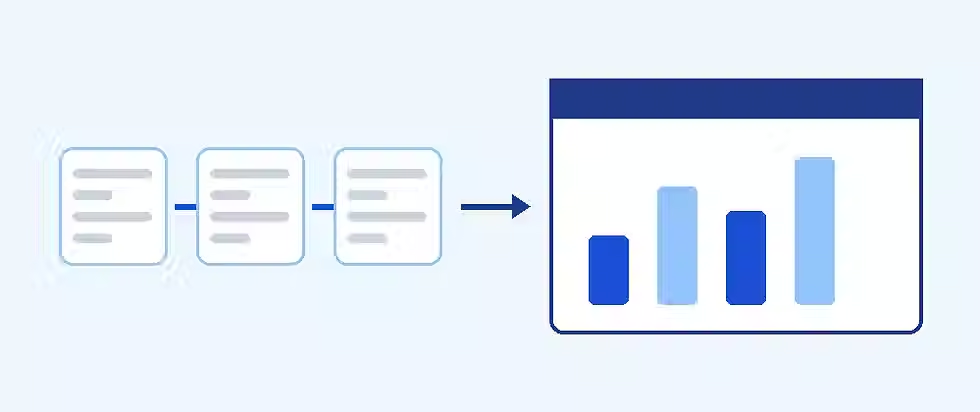
Software That Fits Your Business
Reduce workarounds with a business application shaped around the processes your team actually uses.
Examples of Custom Business Software
Examples of custom business software range from a single approval form to a full client portal; what they share is a workflow the business repeats and standard tools handle poorly. The table below lists twelve common types. Scope, cost and fit vary widely, so treat it as a map of possibilities rather than a shopping list.
Example | Business problem | Typical functions | Who uses it | KPI |
|---|---|---|---|---|
Client portal | Clients chase status and send files by email | Secure login, documents, milestones, approvals, notifications | Clients, account managers | Status enquiries per client; onboarding time |
Internal workflow application | Work passes between people through email and spreadsheets | Request forms, routing, status tracking, audit history | Operations staff, managers | Cycle time; handoff errors |
CRM-connected operations tool | Sales data never reaches delivery teams | Sync won deals to projects, create tasks, flag changes | Sales, delivery | Days from deal won to kickoff |
Reporting dashboard | Reports are assembled by hand from several exports | Data connectors, filters, scheduled views, drill-down | Executives, team leads | Report preparation time |
Inventory and order tool | Stock and orders are tracked in separate places | Stock levels, order entry, reorder alerts, supplier links | Warehouse, purchasing | Stockouts; order accuracy |
Scheduling and dispatch tool | Jobs are assigned by phone or spreadsheet | Calendars, availability, routing, status updates | Dispatchers, field staff | On-time rate; jobs per day |
Document approval workflow | Contracts and documents wait in inboxes | Versioning, approval chains, audit trail, contract lifecycle hooks | Legal, finance, managers | Approval turnaround |
Quotation engine | Quotes depend on one expert and manual pricing | Rules-based pricing, templates, approval thresholds (see CPQ software) | Sales, estimators | Quote turnaround; quote errors |
Supplier portal | Suppliers email invoices and updates | Onboarding, purchase orders, document upload, status (see vendor management) | Procurement, suppliers | Purchase order cycle time |
Field service application | Paper forms and delayed job records | Mobile forms, photos, offline capture, customer sign-off | Technicians, supervisors | Days from job to invoice |
Onboarding workflow | Onboarding steps are scattered across tools | Checklists, forms, task assignment, progress view | Operations, HR, new clients or staff | Time to complete onboarding |
Multi-system reporting layer | Figures disagree between systems | Data consolidation, shared definitions, validation, exports | Finance, leadership | Reconciliation time; conflicting figures |
Illustrative scenarios
The four scenarios below are hypothetical illustrations of how these examples might play out. They are not client case studies, and the businesses described do not exist.
Illustrative scenario 1: a consultancy portal. A hypothetical 25-person consultancy shares deliverables by email and tracks approvals in a spreadsheet, so partners spend part of each week answering “where are we?” messages. A portal shows milestones, stores documents and records approvals. What to measure: status-enquiry volume and approval turnaround, before and after. What could go wrong: clients ignore the portal if sign-in is clumsy. See the comparison of a client portal versus a shared drive.
Illustrative scenario 2: a distributor's quoting tool. A hypothetical regional distributor prices quotes from rules that one estimator keeps in his head. A quotation tool encodes the pricing rules, applies discount thresholds and routes exceptions for approval. What to measure: quote turnaround and pricing errors. What could go wrong: if pricing rules change monthly, the tool becomes a maintenance burden.
Illustrative scenario 3: a field-service app. A hypothetical maintenance firm uses paper job sheets that are typed up days later. A mobile web application captures work, photos and sign-off on site, then triggers invoicing. What to measure: days from job completion to invoice. What could go wrong: weak mobile coverage, so offline capture must be designed in from the start.
Illustrative scenario 4: an agency reporting layer. A hypothetical agency pulls figures from advertising platforms, a project tool and an accounting system into one monthly report assembled by hand. A dashboard connects the sources through APIs and applies agreed definitions. What to measure: hours spent per report. What could go wrong: teams disagree about metric definitions, which no software can settle for them.

A Better Client Experience Starts Here
Give customers one practical place to access updates, share documents and approve work.
Use Cases by Business Department
Department use cases begin with a trigger: a recurring moment when existing tools push people into workarounds. The table maps eight departments to the trigger, the workflow that replaces the workaround and the outcome worth measuring. It deliberately avoids repeating the examples above.
Department | Trigger | Workflow | Outcome |
|---|---|---|---|
Sales | Quotes and proposals wait on manual pricing | Request, rules-based pricing, approval, CRM update (see proposal generation) | Faster, more consistent quotes |
Operations | Demand spikes expose manual routing | Intake form, rules assign work, deadlines tracked | More predictable throughput |
Client support | Clients repeatedly ask for status | Self-service request tracker linked to the queue (see self-service portals) | Fewer repeat enquiries |
HR | Onboarding and leave arrive by email | Checklists, approvals, balance tracking (see leave management) | Consistent onboarding, fewer errors |
Finance | Invoices and expense claims need chasing | Submit, route, match to purchase order, post to accounting (see invoice automation) | Shorter approval and close cycles |
Procurement | Purchase requests arrive unstructured | Request, approve, issue purchase order, confirm with supplier | Clearer spend visibility |
Project management | Status lives in individual updates | Shared project record with milestones and resource view (see project management software) | Earlier detection of delivery risk |
Executive reporting | Monthly reporting takes days | One dashboard with agreed definitions and drill-down | A current view without manual assembly |
Industry-Specific Custom Software Use Cases
The industry use cases below are realistic patterns, not proven deployments. Each describes a need that is common in the sector. Whether custom software fits depends on your own processes and on whether a specialist product already serves them.
Consulting and professional services: client portals, engagement tracking, secure document exchange and time-to-invoice workflows.
Agencies: cross-platform reporting dashboards, creative approval workflows and client-facing campaign views.
Manufacturing: production order tracking, quality checklists and inventory visibility linking the shop floor to the ERP.
Logistics: shipment status portals, dispatch and proof-of-delivery capture, and carrier integrations.
Retail and e-commerce: order routing between storefront, warehouse and returns, plus supplier and stock dashboards; see commerce management software.
Construction: site reporting, subcontractor document handling, and progress and variation approvals.
Healthcare administration: appointment coordination, intake forms, staff scheduling and referral tracking. These are administrative workflows, not clinical decision tools.
Education and training: enrolment workflows, learner progress views and trainer scheduling; compare with an off-the-shelf learning management system.
Growing B2B teams: partner portals, client onboarding and deal-to-delivery handoffs.
Regulated data needs extra care. Where health, financial or education records are involved, rules such as HIPAA in the United States or the GDPR in Europe may apply. Software can support a compliance program, but it does not make an organization compliant by itself, so legal and security review should shape requirements early.
Custom Software vs SaaS, Low-Code and Integrations
Choose ready-made SaaS when it already covers the need, integrate when the gap is data movement, and build custom only where your workflow is distinctive and valuable. These options are not strict opposites. A custom application can be cloud-hosted, and many strong solutions combine a SaaS core with a custom layer on top. The table compares six approaches on the factors that usually decide the matter.
Approach | Best fit | Speed to start | Cost profile | Flexibility | Upkeep | Main risk |
|---|---|---|---|---|---|---|
Ready-made SaaS | Standard processes such as accounting or email | Fastest | Predictable subscription | Low | Vendor handles it | Your process bends to the tool; per-seat costs grow |
Configured SaaS | Standard process with some variation | Fast | Subscription plus setup | Medium, within vendor limits | Vendor plus an internal admin | Hitting platform limits; configuration lock-in |
Low-code or no-code | Simple internal apps and prototypes | Fast to moderate | Platform licenses plus builder time | Medium | Your team owns apps and platform choices | Unmanaged sprawl; platform and license dependency |
API or iPaaS integration | Tools work, but data does not move between them | Moderate | Platform fees plus setup | Medium | Monitor connectors and API changes | Brittle flows; treats symptoms, not the process |
Full custom build | Distinctive, high-value workflows | Slowest to first release | Highest upfront, plus ongoing costs | Highest | You or a partner own it | Cost, scope creep and maintenance dependency |
Hybrid | Core in SaaS, custom layer where it matters | Moderate | Mixed | High where it counts | Shared | Complexity at the boundaries |
A practical way to read the table is as a decision order, not a menu.
Buy when a mainstream product already fits at least most of the workflow and the remaining gaps are tolerable. Standard needs rarely justify a build.
Integrate when each tool is fine but information is retyped between them. Start with the vendors' native connectors, then an integration platform, before writing code.
Use low-code for contained internal tools with low risk, provided someone governs who builds what and where the data lives.
Build custom when the process is a source of advantage or complexity that products cannot express, and the value justifies ownership.
Go hybrid when most of the work suits SaaS but one workflow, such as a client-facing portal, needs to be tailored.
Articsledge's dedicated guides go deeper on custom software versus SaaS and on the wider build-versus-buy decision. If you are weighing subscription products, the primer on software as a service explains the model.

Connect What Already Works
Keep useful existing platforms and explore custom integrations where information or workflow breaks down.
When Is Custom Business Software Worth Building?
Custom software is worth building when a workflow is critical, repeated, valuable and unmet by available products, and when someone will own it afterward. An ordinary preference for a nicer interface does not meet that bar. Weigh these factors together:
Frequency and users: how often the workflow runs and how many people depend on it.
Pain: the time, errors, delays or lost clients it causes today, ideally with a rough measurement.
Unique logic: whether your rules genuinely differ from what products support.
Integration complexity: how many systems must exchange data, and whether their APIs allow it.
Budget and maintenance owner: funds for the build and for upkeep, and a named person accountable for the result.
Expected value and readiness: whether the benefit clearly exceeds total cost, and whether the organization can adopt a new process.
Quick diagnostic. Answer yes or no to each question. (1) Does the workflow run at least weekly and involve several people? (2) Can you put a rough value on the pain? (3) Have you tested SaaS and integration options and found a specific gap? (4) Is your logic distinctive? (5) Is there a named owner? (6) Is there budget for building and maintaining it? Four or more yes answers suggest a scoping conversation is worthwhile; fewer suggest more groundwork first.
When Custom Software Is the Wrong Choice
Custom software is the wrong choice when an existing product already meets the need, or when the organization cannot support what it builds. Candid qualification protects your budget, and Articsledge's own service page says that not every problem requires custom software. Watch for these signs:
Standard requirements already met: payroll, bookkeeping and email are mature categories; see payroll software and bookkeeping software before considering a build.
Unstable processes: if the workflow changes every month, software will freeze a moving target.
Urgent time-to-value: a custom build takes longer to reach first use than a subscription.
No project owner: without someone to decide priorities and accept results, projects drift.
Inadequate budget or maintenance capacity: a tool nobody can afford to maintain becomes a liability.
Low expected benefit: a rarely used process rarely repays a build.
A straightforward integration would solve it: connecting two tools is usually cheaper than replacing either.
Costs and Total Cost of Ownership
Custom software costs more than its quote: budget for discovery through eventual exit, and compare options on a three-to-five-year total cost of ownership (TCO). Three figures are easy to confuse. The quote is the price of the build. Operating cost is the recurring spend on hosting, support and services. TCO adds everything over the chosen horizon, including upgrades and the cost of switching away later.
Cost drivers to ask about include:
discovery and scoping, so requirements are clear before building starts;
UX and interface design;
implementation of the core features;
API work and integrations with existing systems;
data migration and cleaning;
testing and quality assurance;
hosting, infrastructure and monitoring;
security work, reviews and any compliance support;
support, maintenance, dependency upgrades and new features; and
eventual exit or migration, including data export.
Market figures are context, not a quote. Clutch's software development pricing guide, updated on 21 September 2026, reports that projects reviewed on the platform typically cost between $10,000 and $49,999, that most listed companies charge $25 to $49 per hour, and that the average project cost across verified reviews is about $132,480. These figures come from Clutch's own sample of listed firms and reviews, the average is pulled upward by large projects, and rates vary sharply by country. Your scope, integrations and security needs will matter far more than any average. (Source: Clutch, Software Development Company Pricing Guide.)
For detailed ranges and drivers, read Articsledge's guides to custom software development cost, web app development cost and client portal development cost. This article does not repeat them.
How to Calculate Custom Software ROI
Custom software ROI is total benefits minus total costs, divided by total costs, measured over a stated period. In formula form: ROI (%) = (total benefits − total costs) ÷ total costs × 100. Payback period is the upfront cost divided by the annual benefit after running costs. The difficulty is not the formula but the inputs, so be strict about each one.
Baseline first: measure hours, errors and cycle times before the build. Without a baseline, no later number is credible.
Adoption: a tool used by 60% of the intended people delivers roughly 60% of the benefit, not all of it.
Cash savings versus freed capacity: saved hours become money only if they reduce overtime or contractor spend, or are redeployed to work that earns revenue. Otherwise they are capacity, not cash.
Errors and rework: count them separately from routine time, and avoid counting the same hour twice.
Revenue: include it only when it is genuinely attributable and you have a baseline.
Costs and horizon: use TCO (build plus running costs) over three to five years, and state the uncertainty.
Hypothetical worked example (illustrative numbers only)
This example is entirely hypothetical. The business, the figures and the results are invented to show the arithmetic; they are not benchmarks and not a prediction. All amounts are in US dollars.
Baseline: 15 staff each spend 4 hours per week on manual handoffs, re-entry and chasing: 60 hours per week.
Expected reduction: 50%, or 30 hours per week. Over 46 working weeks that is 1,380 hours per year.
Loaded cost: $40 per hour, with 80% adoption: 1,380 × 0.80 = 1,104 hours, worth $44,160.
Cash conversion: only 75% of that is realized as avoided contractor spend or billable work: $44,160 × 0.75 = $33,120.
Errors, counted separately: 120 errors per year at 1.5 hours each, with 70% eliminated: 84 × 1.5 = 126 hours × $40 = $5,040.
Annual benefit: $33,120 + $5,040 = $38,160. Attributable revenue is deliberately set at $0.
Costs: $60,000 build plus $9,000 per year running costs. Three-year TCO: $60,000 + (3 × $9,000) = $87,000.
Three-year benefit is 3 × $38,160 = $114,480. Net benefit is $114,480 − $87,000 = $27,480, so ROI is $27,480 ÷ $87,000 = 31.6%. Annual benefit after running costs is $38,160 − $9,000 = $29,160, so simple payback is $60,000 ÷ $29,160 ≈ 2.06 years, or about 24.7 months.
Sensitivity matters more than the base case. The table changes one or two assumptions at a time.
Scenario | Adoption | Annual running cost | 3-year benefit | 3-year TCO | Net benefit | ROI | Simple payback |
|---|---|---|---|---|---|---|---|
Base case | 80% | $9,000 | $114,480 | $87,000 | +$27,480 | 31.6% | ≈ 24.7 months |
Lower adoption | 60% | $9,000 | $89,640 | $87,000 | +$2,640 | 3.0% | ≈ 34.5 months |
Higher maintenance | 80% | $18,000 | $114,480 | $114,000 | +$480 | 0.4% | ≈ 35.7 months |
Both together | 60% | $18,000 | $89,640 | $114,000 | −$24,360 | −21.4% | ≈ 60.6 months |
In the lower-adoption case, benefit is 1,380 × 0.60 × $40 × 0.75 = $24,840, plus $5,040 from errors, or $29,880 per year. The example also assumes full benefit from day one, ignores discounting, and holds benefits constant, all of which flatter the result. A real model should include a ramp-up period. The point: the same project can look strong or weak depending on adoption and upkeep. For help estimating the cost side, see Articsledge's guide to custom software development cost.
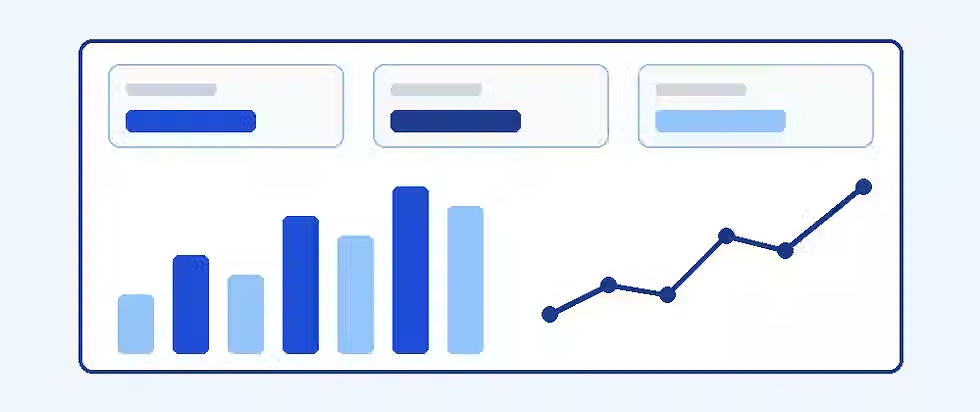
Make Your Business Data More Useful
Bring the right operational information into a tailored reporting experience.
How Custom Business Software Is Developed
Custom software is developed in stages that move from understanding the problem to maintaining the result, and the deliverable and decision-maker at each stage matter more than any promised timeline. The table lists the usual stages. Names and order vary between teams, and stages often overlap.
Stage | Practical deliverable | Who decides |
|---|---|---|
Discovery and workflow mapping | Current-state process map, pain points, users | Business owner with the delivery team |
Build, buy or integrate evaluation | Options comparison and recommendation | Business owner |
Requirements and scope | Prioritized requirements, assumptions, exclusions | Business owner and product lead |
MVP definition | The smallest release that delivers value, with success measures | Business owner |
UI and UX design | Wireframes and clickable prototypes tested with users | Product lead with real users |
Architecture | Technical design, data model, hosting and security approach | Technical lead |
Development | Working software built in reviewed increments | Delivery team |
Integrations and data migration | Connected systems and cleaned, migrated data | Technical lead and system owners |
QA and security testing | Test results, defect fixes, security review | Technical lead |
User acceptance testing | Sign-off from the people who will use it | Business owner and users |
Launch and handover | Deployment, documentation, training, access and repository handover | Business owner and delivery team |
Maintenance | Monitoring, fixes, upgrades and a change backlog | Named owner |
Most of the risk is removed early, in discovery and scoping, which is why an assessment-first approach is sensible. For realistic schedule drivers rather than a single number, read the guide to web app development timelines, and for the discipline behind the build, the primer on software development.
Security, Data Ownership, Integrations and Maintenance
Security, ownership and maintainability should be requirements from the first conversation, not late additions. No standard or framework makes software automatically compliant, but several give a credible structure. Key areas include:
Access control: strong authentication, least-privilege permissions and role-based access so people see only what their job needs.
Encryption: protect data in transit and, where appropriate, at rest, and manage keys carefully.
Secure development practices: NIST's Secure Software Development Framework, SP 800-218 (published February 2022) describes a core set of high-level secure development practices that can be integrated into any development lifecycle.
Testable web security controls: the OWASP Application Security Verification Standard (ASVS) provides a basis for testing web application technical security controls and a list of requirements for secure development.
Accessibility: WCAG 2.2, a W3C Recommendation, defines testable success criteria at levels A, AA and AAA for making web content usable by more people, including portals used by clients and staff.
Logs and audit trails: record who did what and when; see the overview of audit trail software.
Backups and recovery: automated backups and a tested restore process.
API boundaries: authenticate integrations, validate inputs and limit what each connection can reach.
Vendor dependencies and monitoring: track third-party services and libraries, apply updates and watch for failures. See also the primer on cloud security.
Ownership and exit. Agree in the contract who owns the intellectual property and the source code, whether you get repository access, how your data can be exported, and what documentation is handed over. Ask what happens if the relationship ends. Maintenance is a continuing activity: decide who monitors, patches and improves the application, and budget for it.
Common Project Risks and Mitigations
Most custom software projects fail through predictable management problems rather than exotic technical ones. The table pairs nine common risks with a warning sign and a practical response.
Risk | Warning sign | Mitigation |
|---|---|---|
Scope creep | New “small” requests arrive weekly | Prioritized backlog, a defined MVP and a change-control routine |
Vague requirements | Different people describe the goal differently | Workflow mapping and written acceptance criteria before building |
Poor adoption | Staff keep using spreadsheets | Involve users early, train them and retire the old process on a date |
Bad data | Duplicates and missing fields in source systems | Audit and clean data before migration; assign data owners |
Integration limits | A system has no usable API or restrictive permissions | Check API access during discovery; plan fallbacks |
Weak testing | Defects found by users after launch | Automated tests, security review and structured acceptance testing |
Budget slippage | Estimates stay vague or keep growing | Phased delivery, itemized estimates and regular budget reviews |
Maintenance neglect | Nobody owns upgrades after launch | Named owner, support plan and a budget line for upkeep |
Vendor dependence | Only one party can change the system | Documentation, repository access and agreed handover terms |
Choosing a Custom Software Development Partner
The best partner understands your business goal before proposing technology, scopes honestly and will say when custom is the wrong answer. No checklist guarantees a good outcome, and no firm should be assumed superior without evidence you can check. Look at these areas:
ability to understand business goals and translate them into scope;
relevant experience, ideally with work you can verify or references you can speak to;
clear scope and transparent estimates, including what is excluded;
testing and security practices;
data and intellectual-property terms;
communication habits and decision cadence; and
handover and maintenance arrangements.
Questions worth asking: How will you validate requirements before building? What do you need from us each week? How are estimates built and changed? Who owns the code and data? How do you test and secure the application? What does handover include? What does support cost after launch? Articsledge's guide to choosing a custom software development company and its list of questions to ask a software development agency go further.
How Articsledge Helps Businesses Build Custom Applications
Articsledge provides [[custom web application development|custom-web-application-development]] services, with an assessment-led approach. According to its service page, the work includes custom client portals, internal business applications, dashboards and reporting, API integrations with existing tools, and workflow applications such as client onboarding, service requests and document approvals. The same page describes a process that moves from project assessment through requirements, design and development, testing, deployment and handover, with maintenance scoped separately, and states that not every problem requires custom software.
To make an assessment productive, prepare a short brief: the problem you want solved, the tools you use now, who the users are, the outcomes you want, the systems that must connect, your approximate budget and your desired timeframe. Articsledge does not publish fixed prices or delivery promises, so scope and cost are discussed after reviewing your situation. You can also reach the team through the contact page.

Is Your Workflow Ready for Custom Software?
Describe the problem, current systems, users and budget; explore whether a tailored web application is a sensible fit.
FAQ
What is custom business software?
Custom business software is an application designed and built for one organization's workflows, data and users. Unlike off-the-shelf products, it encodes your own rules and connects to your existing systems. It can be internal, such as an approvals tool, or customer-facing, such as a client portal, and it can run on the web, mobile or desktop.
What are examples of custom business software?
Common examples include client portals, internal workflow applications, CRM-connected operations tools, reporting dashboards, inventory and order tools, scheduling and dispatch systems, document approval workflows, quotation engines, supplier portals and field service apps. Each replaces a workaround, such as spreadsheets and email, with a purpose-built workflow.
What are the main benefits of custom business software?
The main benefits are fewer manual steps, unified data, clearer visibility, role-specific workflows, better client and employee experiences, and control over the roadmap. Each depends on good scoping and adoption, and each should be tied to a measurable indicator such as handling time, error rate or approval cycle time.
Who is custom business software best suited to?
It suits organizations with a critical, repeated workflow that existing products cannot handle, plus the budget and ownership to maintain it. Typical buyers include growing SMEs, professional-services firms, agencies and B2B companies. If a mainstream product already fits, buying or integrating is usually the better choice.
How much does custom business software cost?
Cost depends on scope, integrations, security needs and team location, so no single figure applies. Clutch's pricing guide, updated 21 September 2026, reports typical reviewed projects of $10,000 to $49,999, but that is a limited sample. Budget for total cost of ownership, not just the build quote. See Articsledge's cost guide.
How long does it take to build custom business software?
It depends on scope, integrations and how quickly decisions are made, so honest answers come after discovery. A focused MVP can reach users sooner than a full system. Articsledge's timeline guide explains the factors that move schedules; be cautious of any fixed date offered before scoping.
Is custom software better than SaaS?
Not always. SaaS is usually faster and cheaper when it already fits a standard process. Custom is better where your workflow is distinctive and valuable, or where integration gaps remain. Many businesses use both, keeping SaaS for standard functions and adding a custom layer for the differentiating workflow.
How does low-code compare with custom development?
Low-code is quick for simple internal apps and prototypes, but it can hit platform limits and create licensing dependency and sprawl without governance. Custom development offers more control for complex logic, security and integrations, at higher cost and a slower first release. The right choice depends on complexity and risk.
Can custom software integrate with the tools I already use?
Often yes, through APIs, webhooks or integration platforms, but feasibility depends on each system's API and permissions. Discovery should confirm what data can be read or written, how often, and with what limits. When a system offers no usable API, you may need a workaround or a different tool.
How do I calculate the ROI of custom software?
Subtract total costs from total benefits, divide by total costs, and state the time period. Use a pre-project baseline, count only realized benefits, apply adoption rates, avoid double counting, and include running costs over three to five years. Show sensitivity to adoption and maintenance rather than one optimistic number.
Is custom business software secure?
It can be, but security comes from engineering discipline, not from being custom. Look for least-privilege access, secure development practices such as NIST SP 800-218, testing against OWASP ASVS, logging, backups and patching. Custom software can be less secure than a mature SaaS product if these are neglected.
Who owns the code and data in a custom project?
Ownership depends on your contract, so agree it before work starts. Clarify intellectual-property terms, repository access, data export and handover documentation. Articsledge's service page states that source code ownership and intellectual property are set out in the project agreement.
What are the drawbacks of custom business software?
Drawbacks include higher upfront cost, a longer time to first release, responsibility for security and maintenance, and the risk of depending on one developer or vendor. Poor adoption and scope creep can erode value. These risks are manageable with clear scoping, documentation, testing and a named owner.
Is custom software suitable for small businesses?
Yes, when the workflow is valuable and the scope is focused. Small businesses often start with a narrow MVP, such as a client portal or an approval tool, and integrate existing software. If a standard product already works, a subscription is usually more economical than a build.
When should I not build custom software?
Skip custom when mainstream software already meets standard needs, when the process is unstable, when speed matters most, when there is no project owner, or when budget cannot cover upkeep. A simple integration between existing tools often solves the problem at lower cost.
What does Articsledge build?
According to its service page, Articsledge provides custom web application development, including client portals, internal business applications, dashboards and reporting, API integrations and workflow applications. It uses an assessment-first process and notes that not every problem needs custom software. It does not publish fixed prices or delivery promises.
Key Takeaways
Custom business software is defined by fit with your workflows, not by where it is hosted.
The strongest benefits are fewer manual steps, unified data and role-specific experiences, each measurable against a baseline.
Good candidates are critical, repeated workflows that SaaS and integrations leave unmet.
SaaS, low-code, integration and custom are options on a spectrum, and hybrids are common.
Budget for total cost of ownership, including maintenance and exit, not only the build quote.
ROI depends heavily on adoption and upkeep, so model sensitivity rather than a single number.
Security, intellectual property and data ownership belong in requirements and contracts from the start.
Choose a partner who scopes honestly and will recommend against custom when it is not the right answer.
Actionable Next Steps
Quantify the pain. Measure hours, errors, delays or lost work for one specific workflow.
Map the workflow and users. Write down the steps, handoffs, roles and systems involved.
Evaluate SaaS and integration first. Test existing products and connectors; the guide to custom software versus SaaS can structure the comparison.
Define KPIs and an MVP. Decide what success looks like and the smallest useful first release.
Identify constraints. Note budget, support capacity, security and data requirements, and who will own the result.
Prepare a brief. Summarize the problem, current tools, target users, desired outcomes, integrations, budget and timeframe.
Pursue an assessment when justified. If a real gap remains and the expected value is clear, you can request a project assessment.
Glossary
API: An application programming interface: a defined way for one program to request data or actions from another. See the primer on APIs.
Custom software: Software designed and built for a specific organization's needs rather than for a mass market.
SaaS: Software as a service: software hosted by a vendor and accessed by subscription. See software as a service.
ERP: Enterprise resource planning: software that manages core operations such as finance, inventory and orders.
CRM: Customer relationship management: software that records customer contacts, deals and interactions.
MVP: Minimum viable product: the smallest release that delivers real value and can be tested with users.
Workflow automation: Using software to move work through defined steps, such as routing approvals, without manual handoffs.
RBAC: Role-based access control: permissions granted according to a person's role, so users see only what they need.
Integration: A connection that lets separate systems exchange data or trigger actions in each other.
TCO: Total cost of ownership: all costs over a chosen period, including build, running, upgrades and exit.
ROI: Return on investment: net benefit divided by cost over a stated period, usually shown as a percentage.
User acceptance testing: Testing by the people who will use the software, to confirm it supports their real work before launch.
Scalability: The ability of software to handle more users, data or transactions without a disproportionate rise in cost or failure.
Technical debt: The future cost created by shortcuts or outdated design choices that make software harder to change.
Data migration: Moving data from old systems into a new one, usually with cleaning and validation.
Maintenance: Ongoing work after launch: monitoring, fixes, security updates, dependency upgrades and small improvements.
Sources & References
Souppaya, M., Scarfone, K., & Dodson, D. (2022, February 3). Secure Software Development Framework (SSDF) Version 1.1: Recommendations for Mitigating the Risk of Software Vulnerabilities (NIST Special Publication 800-218). National Institute of Standards and Technology. https://csrc.nist.gov/pubs/sp/800/218/final
OWASP Foundation. (n.d.). OWASP Application Security Verification Standard (ASVS). OWASP Foundation. https://owasp.org/projects/asvs
World Wide Web Consortium (W3C). (2024, December 12). Web Content Accessibility Guidelines (WCAG) 2.2 (W3C Recommendation). W3C. https://www.w3.org/TR/WCAG22/
Clutch. (2026, September 21, updated). Software Development Company Pricing Guide. Clutch. https://clutch.co/developers/pricing
Articsledge. (n.d.). Custom Web Application Development Services. Articsledge. https://www.articsledge.com/custom-web-application-development


